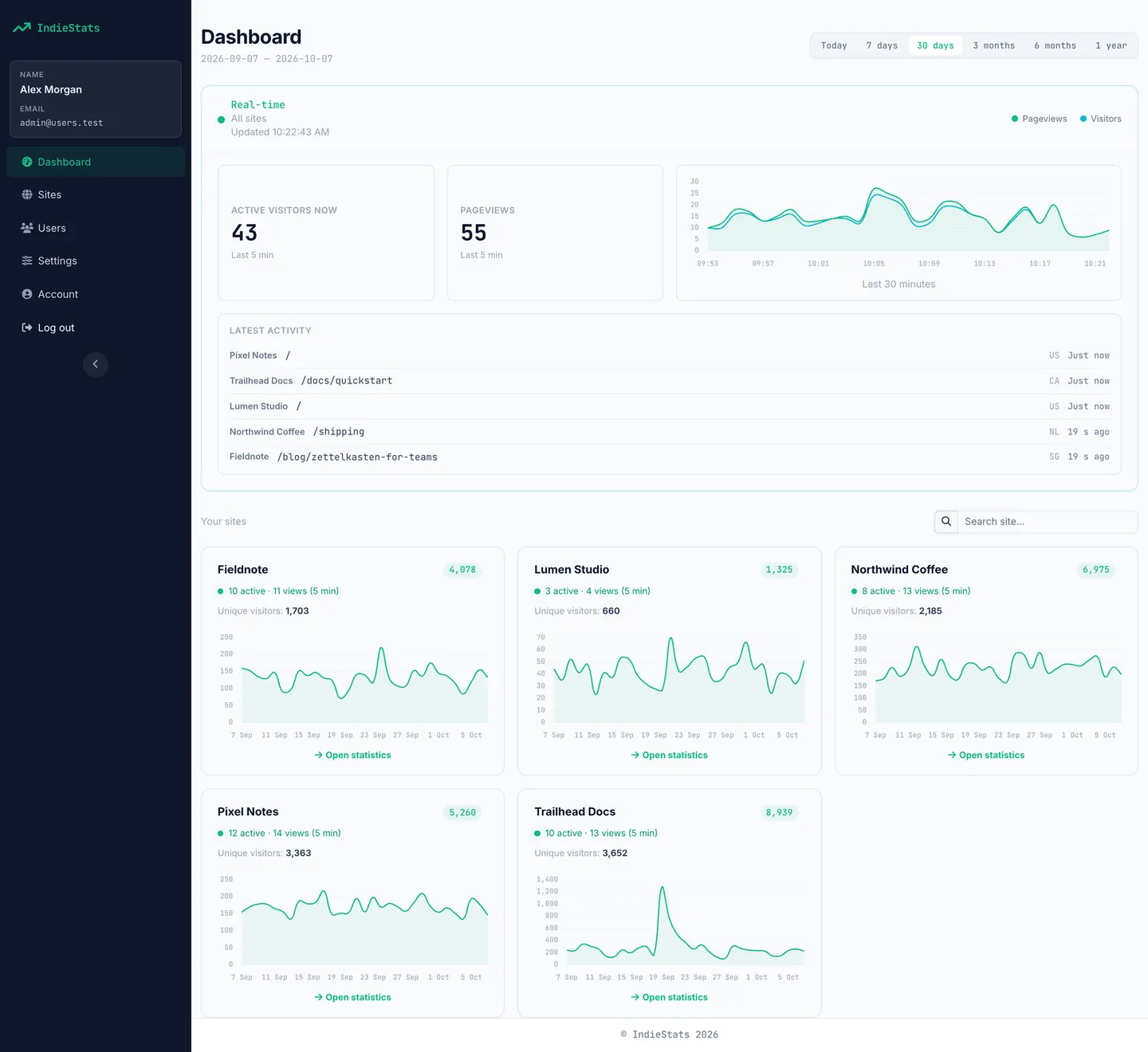
Most websites send every visitor to Google Analytics, with cookies, a consent banner and data leaving the EU. IndieStats gives you the numbers that matter (visitors, pages, sources, campaigns, conversions) from your own server, without cookies or third parties. On Cipi it's one Laravel app.
Key ideas, in plain words#
| Term | Meaning |
|---|---|
| Pageview | One page opened by one visitor |
| Visitor ID | A random identifier kept in the browser's localStorage, not a cookie |
| Snippet | A one-line <script> you paste in your site's layout |
| Event | Something a visitor does that you want to count: signup, purchase |
| Goal | An event you follow over time, to measure conversions |
| Retention | How long raw data is kept before it's deleted |
The browser loads the IndieStats snippet from your stats domain, asynchronously, so your page doesn't wait.
Path, title, referrer, UTM tags, language, timezone and device type. A random visitor ID lives in localStorage; no cookies.
Only domains you listed for that site are accepted, so nobody can pollute your numbers from elsewhere.
Raw data is pruned after the retention window you choose. Nothing is sent to third parties.
Before you start#
- A server with Cipi (it can share a server with other apps, or live on the same one as your Boogle).
- A subdomain such as
stats.example.compointing at it. - A GitHub account to fork IndieStats.
1. Create the app#
Fork github.com/andreapollastri/indiestats, then:
ssh cipi@YOUR_SERVER
sudo cipi app create --user=stats --domain=stats.example.com \
    --repository=git@github.com:YOU/indiestats.git --branch=main --php=8.5
Add the deploy key to your fork, then:
sudo cipi deploy stats
sudo cipi ssl install stats
sudo cipi app artisan stats db:seed --force
IndieStats needs PHP 8.4 or newer. Its built front-end assets are committed to the repository, so no Node build is needed on the server. The seeder creates admin@users.test / password: log in and change it right away.
| IndieStats needs | On Cipi |
|---|---|
| The scheduler every minute (pruning, GeoIP updates) | Already on |
| A queue worker (Excel exports) | Created with the app |
| HTTPS | cipi ssl install (needed: an HTTP script on an HTTPS site is blocked) |
2. Add your site#
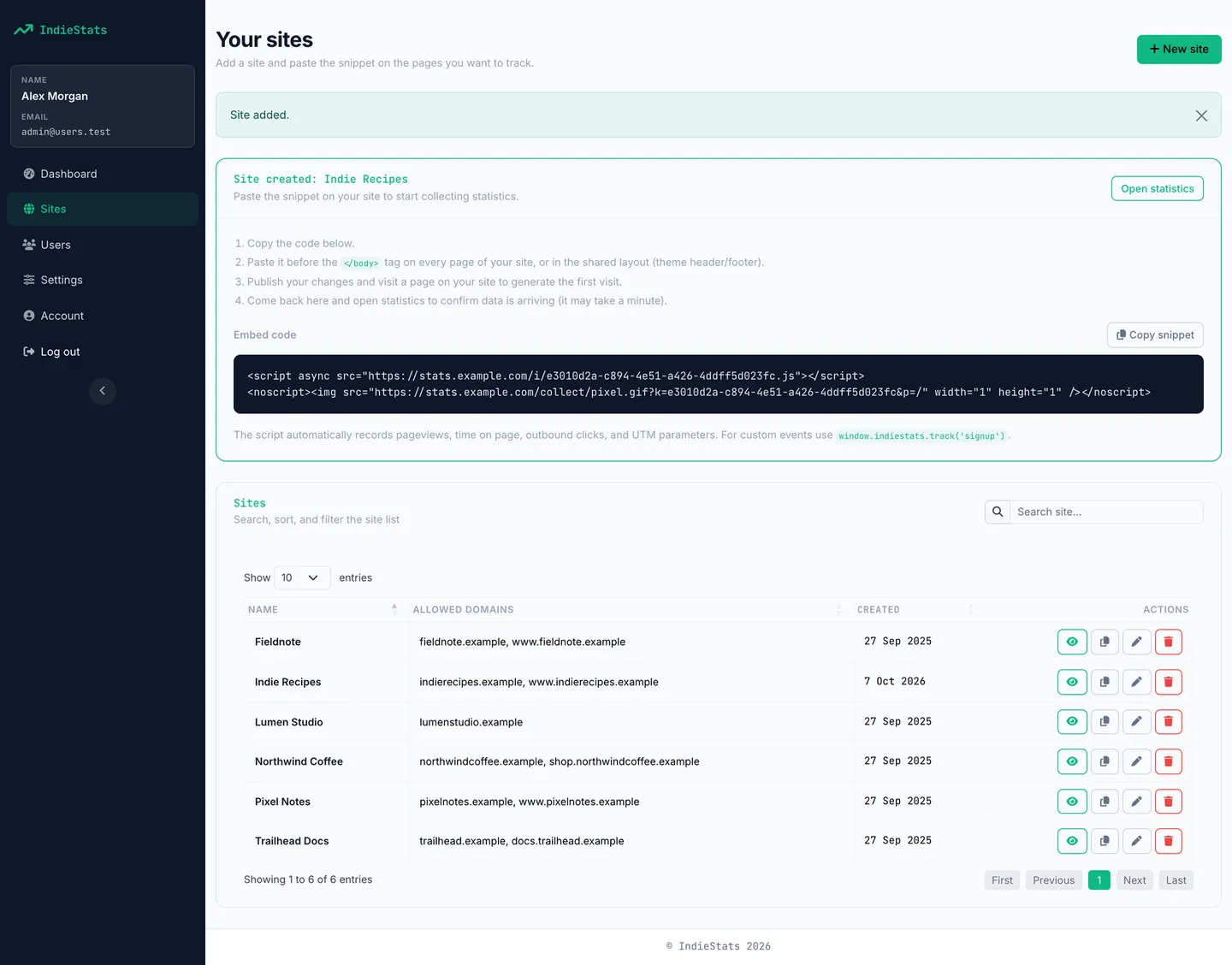
Sites → New site: name, and the allowed domains (example.com, www.example.com). IndieStats shows the snippet to copy:
3. Paste the snippet#
In a Laravel app, put it in your main layout, before </body>, only in production:
@production
<script async src="https://stats.example.com/i/YOUR-SITE-KEY.js"></script>
<noscript><img src="https://stats.example.com/collect/pixel.gif?k=YOUR-SITE-KEY&p=/" width="1" height="1" alt=""></noscript>
@endproduction
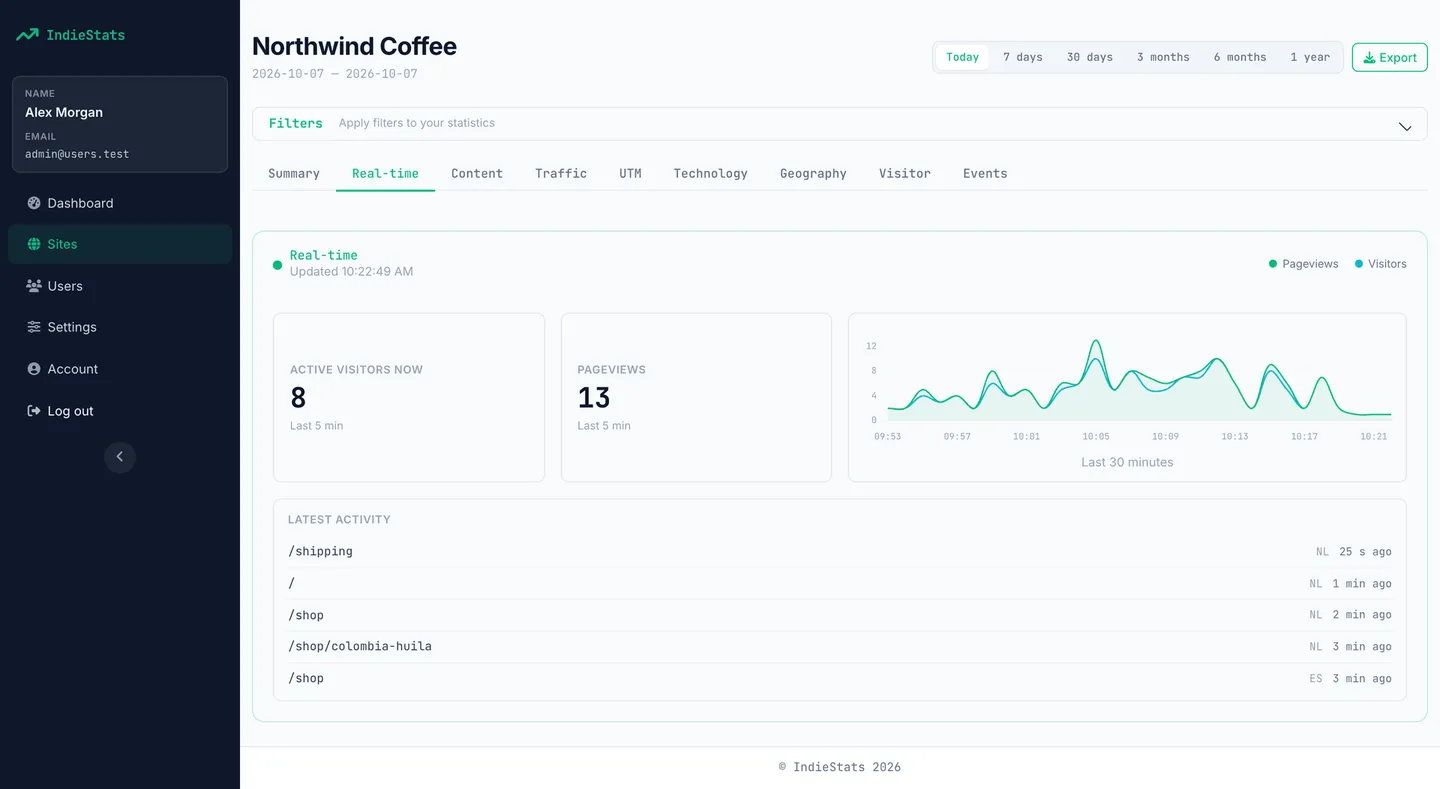
WordPress: paste it in the theme's footer (or a "header and footer scripts" plugin). Static sites: the shared layout. Deploy, open a page, and the visit appears in Real-time within seconds.
4. Track events and goals#
indiestats.track('signup');
indiestats.track('purchase', { plan: 'pro', price: 29.99, currency: 'EUR' });
Up to 20 properties per event. On the site's Events tab, add a goal to follow an event over time (for example signup per day).
5. Make it as private as you can#
sudo cipi app env stats --set=ANALYTICS_RETENTION_DAYS=180
sudo cipi app artisan stats config:cache
| Setting | Why |
|---|---|
| Shorter retention | Less personal data kept (IPs are deleted with their pageviews) |
| Country only, or no GeoIP | The GeoIP and ASN databases are optional: skip them if you don't need location |
| Domain allowlist on every site | Only your sites can send data |
| Privacy policy | Say what you measure, why, and for how long |
| Real visitor IPs behind Cloudflare | IndieStats reads CF-Connecting-IP; behind other proxies configure Laravel's trusted proxies |
This guide isn't legal advice. Cookieless, first-party, self-hosted analytics with short retention is the privacy-friendliest setup, but whether you need consent depends on your jurisdiction. Ask your DPO.
What you'll see#
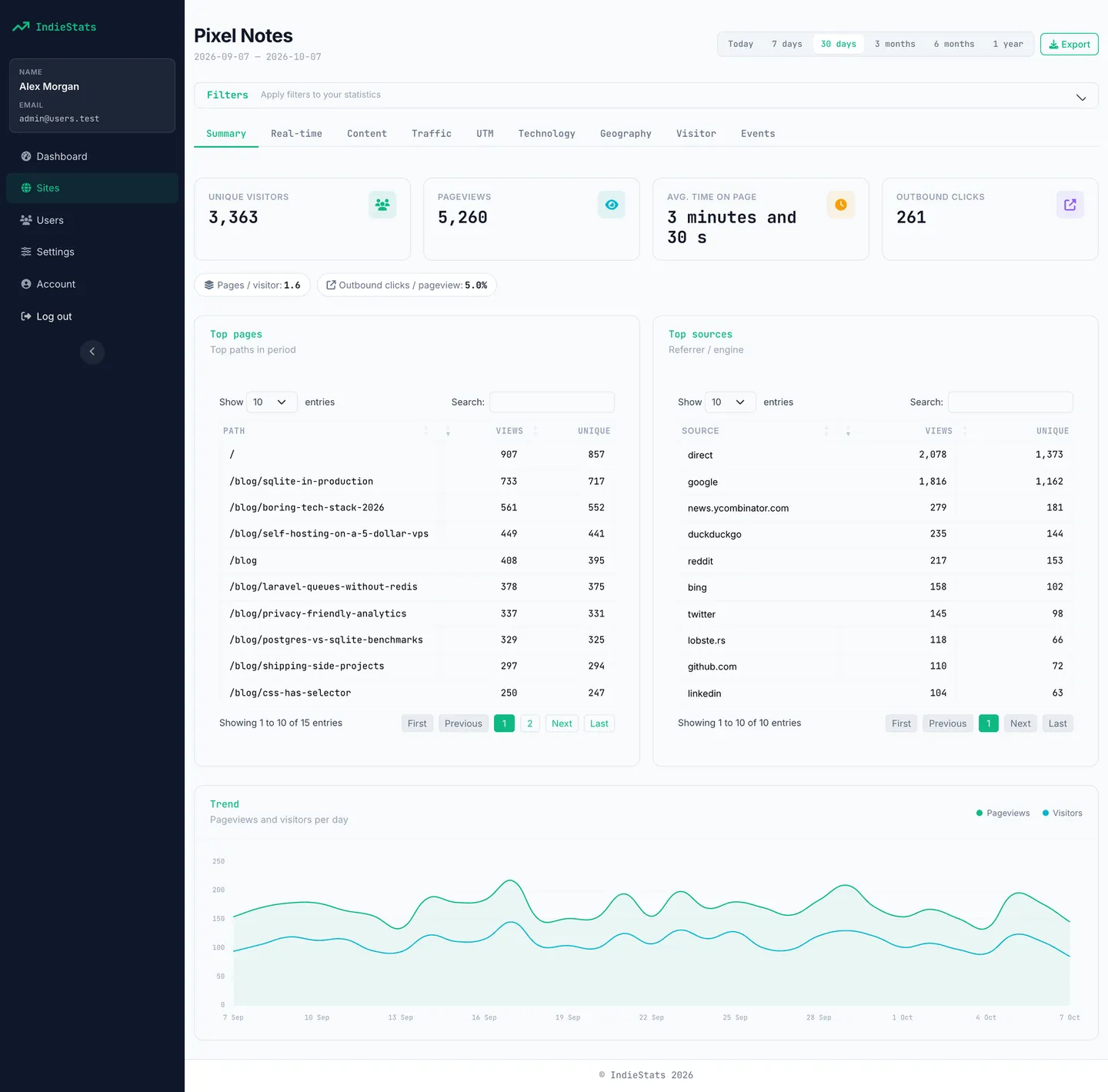
| Tab | Answers |
|---|---|
| Summary | How many visitors, pageviews, time on page |
| Content | Which pages, which on-site searches |
| Traffic | Where visitors come from |
| UTM | Which campaigns work |
| Technology | Devices, browsers, systems |
| Geography | Countries and networks (optional databases) |
| Events | Conversions and goals |
Troubleshooting#
| Problem | Fix |
|---|---|
| No visits arrive | The site's domain isn't in the allowlist, or the snippet isn't on the page |
| Browser blocks the script | Mixed content: IndieStats must be on HTTPS (cipi ssl install stats) |
| Every visitor from one country/network | Behind a proxy without real IP: see Cloudflare guide |
| Excel export never finishes | Queue worker not running: sudo cipi worker list stats |
| Old data not deleted | Scheduler off: sudo cipi schedule status stats |
| Ad blockers hide some visits | Expected for any analytics; a first-party subdomain helps |
Questions
What is IndieStats?
A free, open-source (MIT) web analytics app by Andrea Pollastri, built with Laravel. One installation tracks many sites, with real-time data, filters, events, goals and Excel exports, and stores everything on your own server.
Does it use cookies?
No. Visitors get a random ID in the browser's localStorage and a per-tab ID in sessionStorage. No data goes to third parties.
Do I still need a consent banner?
It depends on your country and your setup, so check with your DPO or lawyer. EU rules on storing data on a visitor's device cover localStorage too, not only cookies, and some authorities exempt first-party audience measurement only under conditions (limited purpose, no cross-site tracking, short retention). IndieStats makes those conditions easy to meet; it can't decide for you.
Does it store IP addresses?
Yes, with each pageview, to look up country and network, and they're deleted with the pageview by the retention job (375 days by default). Shorten ANALYTICS_RETENTION_DAYS to keep less.
Can I track several sites?
Yes, as many as you like from one installation, each with its own snippet and domain allowlist.
Will it slow my site down?
The script loads async and sends small requests; there's a <noscript> pixel for visitors without JavaScript.
Can I see conversions?
Yes: send events with indiestats.track('signup') and turn them into goals on the site's Events tab.
Why host it myself instead of a privacy SaaS?
It's free, the data never leaves your servers, and you decide retention. A SaaS is simpler if you'd rather not run anything.