Laravel apps store uploads, exports and backups in object storage: S3 and its compatibles. Johnny gives you that on your own VPS, with a clean panel. Your Cipi apps then use it exactly like AWS S3.
Key ideas, in plain words#
| Term | Meaning |
|---|---|
| Object storage | Storage for files ("objects") reached over HTTP, not a disk you mount |
| S3 | Amazon's object storage API, now a standard many products speak |
| Bucket | A named container of files, e.g. shop-uploads |
| Access key | An ID and a secret an app uses to read or write buckets |
| Endpoint | The URL of the storage server, e.g. https://s3.example.com |
| Path style | Bucket in the path (/shop-uploads/…), as Johnny expects |
- Cipi serveryour Laravel apps, Storage::disk('s3')
- HTTPSpath-style S3 requests
- Johnny VPSCaddy + Garage + panel
- SFTP targetnightly copy of every bucket
Before you start#
- A separate VPS with Ubuntu 24.04, with enough disk for your files (storage-optimised plans are cheap at Hetzner, OVHcloud and others).
- Two subdomains pointing at it before installing: one for S3 (
s3.example.com), one for the panel (panel.storage.example.com). - Optional but recommended: an SFTP destination for nightly backups (a storage box, another server).
1. Install Johnny#
ssh root@STORAGE_IP
mkdir -p /opt && git clone https://github.com/andreapollastri/johnny /opt/johnny
cd /opt/johnny
bash scripts/autoinstall.sh
The wizard installs Garage and Caddy, issues HTTPS for your S3 domain, creates a default bucket and keys, sets up the nightly jobs and, if you say yes, the panel. Check it:
source /etc/johnny/credentials/default-s3.env
aws s3 ls --endpoint-url "$AWS_ENDPOINT_URL"
Create your panel login:
sudo -u www-data php /opt/johnny/panel/artisan johnny:admin you@example.com 'a-strong-password'
Open the panel, sign in, and turn on two-factor authentication in Settings.
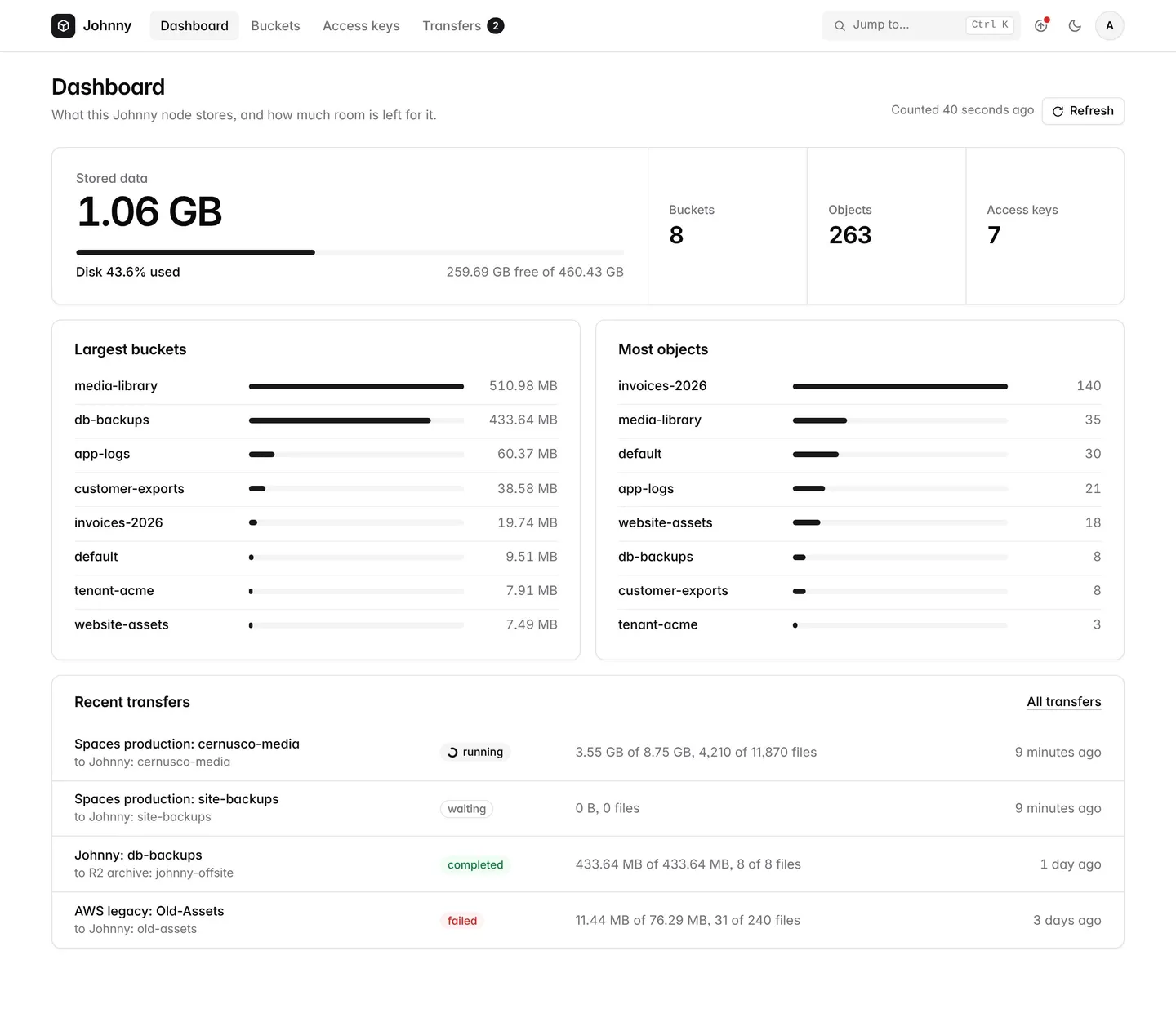
2. Create a bucket and a key per app#
Buckets → New: shop-uploads. Then Access keys → New: name it after the app, give it read and write on shop-uploads only.
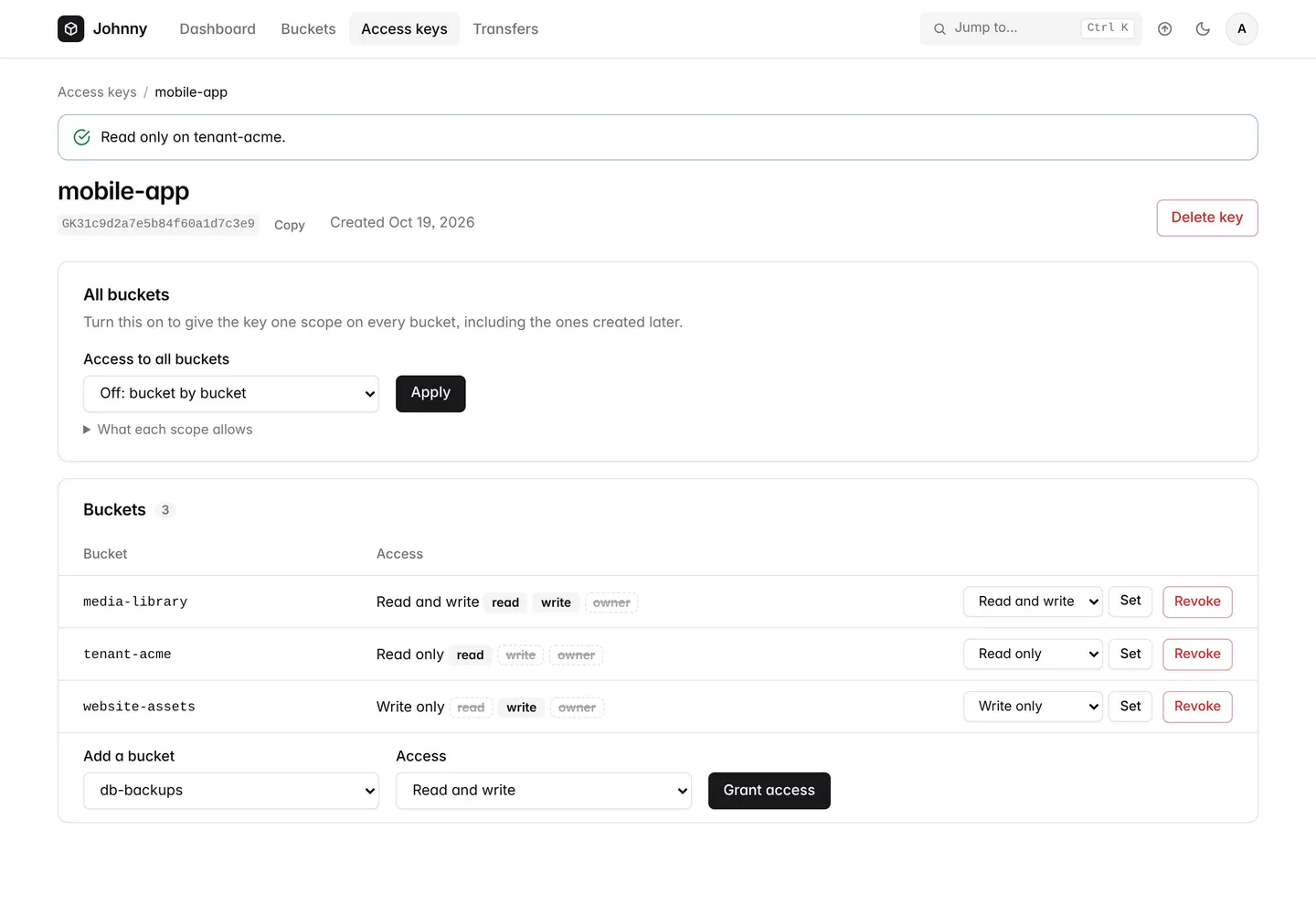
Copy the key ID and secret now. In the bucket's Connect tab, Johnny shows ready-made configuration snippets.
3. Connect a Laravel app#
In the app (on your laptop):
composer require league/flysystem-aws-s3-v3 "^3.0" --with-all-dependencies
Commit and deploy. Then set the variables on the Cipi server:
sudo cipi app env shop # add these lines:FILESYSTEM_DISK=s3 AWS_ACCESS_KEY_ID=GK… AWS_SECRET_ACCESS_KEY=… AWS_DEFAULT_REGION=johnny AWS_BUCKET=shop-uploads AWS_ENDPOINT=https://s3.example.com AWS_USE_PATH_STYLE_ENDPOINT=true
sudo cipi app artisan shop config:cache
sudo cipi worker restart shop
sudo cipi app artisan shop tinker --execute="Storage::disk('s3')->put('hello.txt','hi'); echo Storage::disk('s3')->exists('hello.txt') ? 'ok' : 'fail';"
ok means the app writes to Johnny. The file appears in the panel's object browser.
4. Send Cipi backups to Johnny#
Create a cipi-backups bucket and a key for it, then on each Cipi server:
sudo cipi backup destination add johnny --bucket=cipi-backups \
    --key=GK… --secret=… --region=johnny --endpoint=https://s3.example.com
sudo cipi backup destination test
sudo cipi backup profile add shop-nightly --scope=all --cron='0 2 * * *' \
    --keep-days=14 --dest=johnny --encrypt
Backups are encrypted on the Cipi server before they leave it, so Johnny only ever stores encrypted archives. More on backups.
5. Bring your files from AWS, Spaces or R2#
Transfers → New connection: enter the provider's endpoint and keys. Johnny lists its buckets: import them once, or set a scheduled sync (copy or mirror, with a dry run first).
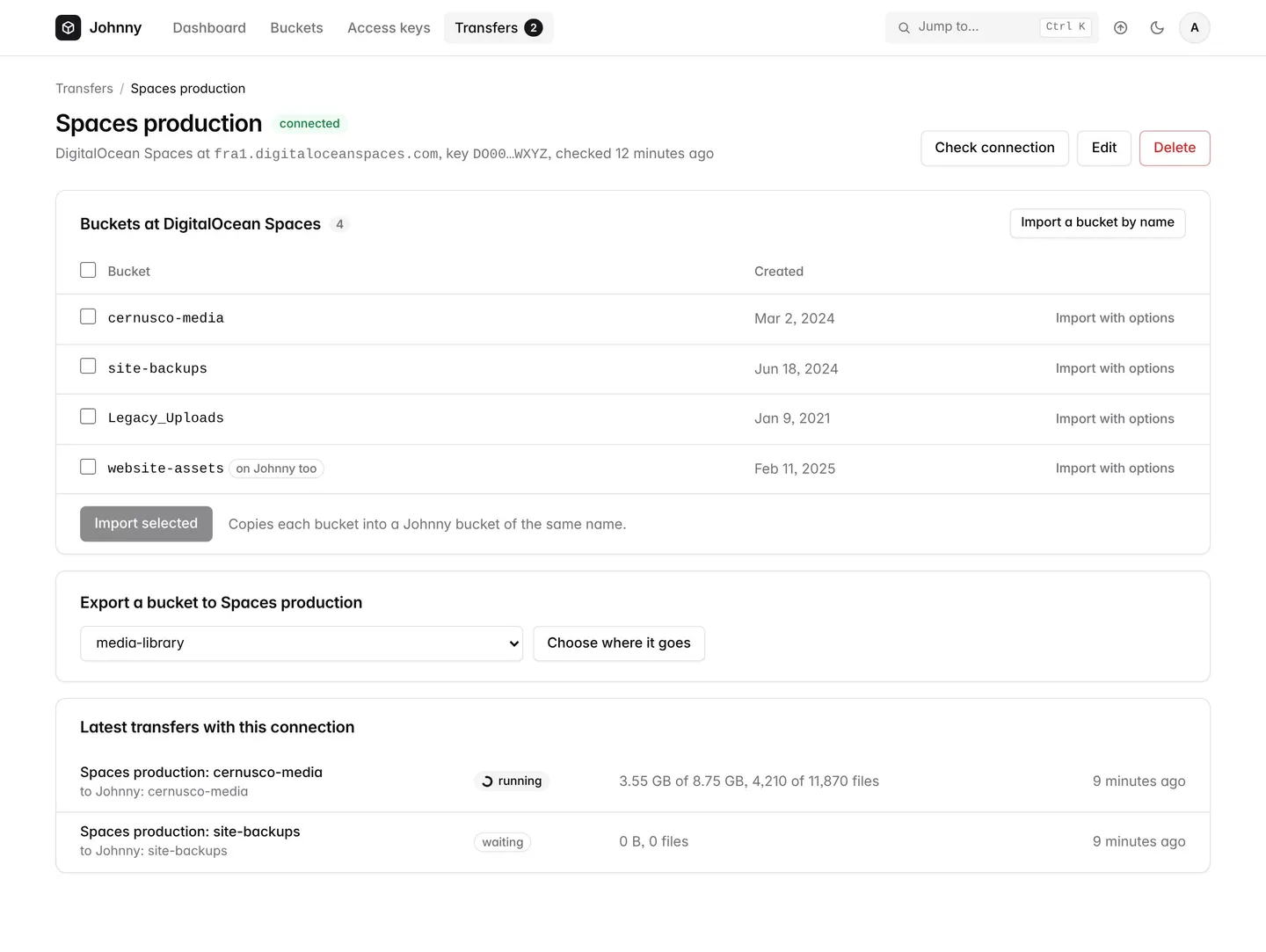
When the copy is complete, switch the app's AWS_* variables to Johnny and run config:cache.
6. Keep a copy elsewhere#
Every night at 03:00 Johnny copies every bucket to the SFTP targets in /etc/johnny/backup.json, in dated folders, and deletes folders older than the retention (90 days by default). Add at least one target: a single storage server is a single point of failure. Logs: /var/log/johnny-nightly.log.
Security checklist#
| Do | Why |
|---|---|
| One key per app, scoped to its bucket | Limits the damage of a leaked key |
Keys only in the server's .env | Never in Git (secrets guide) |
| Two-factor on the panel | The panel can create keys |
| An SFTP backup target in another place | Disk or server failure |
| Expiring share links | Links to private files expire in an hour, a day or a week |
Troubleshooting#
| Problem | Fix |
|---|---|
Could not resolve host shop-uploads.s3.example.com | Path style is off: AWS_USE_PATH_STYLE_ENDPOINT=true, then config:cache |
AccessDenied | The key isn't allowed on that bucket, or is read-only |
Class "League\Flysystem\AwsS3V3\…" not found | Install league/flysystem-aws-s3-v3 and deploy |
| Certificate error at install | DNS didn't point at the VPS before installing: fix DNS, run the installer again |
destination test fails from Cipi | Check endpoint, region johnny, and that the key can write to the bucket |
| Uploads work, browser can't load files | Bucket is private (good): serve files through signed URLs (Storage::temporaryUrl) |
Questions
What is Johnny?
A free, open-source (MIT) object storage server by Andrea Pollastri. It speaks the S3 API (built on Garage), with HTTPS through Caddy, a web panel, a CLI, a REST API and nightly backups to SFTP. Any S3 client works with it.
Why not just use AWS S3 or R2?
You can, and Cipi works with them. Johnny is for when you want storage on servers you control: no per-GB or per-request bill, data in the country you choose, and no third party holding your files.
Can Johnny run on my Cipi server?
No: Johnny brings its own web server (Caddy) on ports 80 and 443, which Cipi's Nginx already uses. Give Johnny its own small VPS, ideally in another region or provider so it also works as off-site backup.
Is a single server safe for storage?
Johnny runs a single-node Garage cluster, so the server's disk is a single point of failure. That's why Johnny syncs every bucket to SFTP targets every night. Configure at least one.
Why `AWS_USE_PATH_STYLE_ENDPOINT=true`?
Johnny serves buckets as https://s3.example.com/bucket rather than https://bucket.s3.example.com. Path style tells the S3 client to use the first form.
Can I limit what an app can do?
Yes: create a key per app, limited to its bucket, with read only, read and write, write only or full control. Garage doesn't split permissions more finely, so a writer can also overwrite and delete.
Can I move my files from AWS or DigitalOcean?
Yes: Transfers in the panel imports buckets from any S3 provider (or SFTP), once or on a schedule.