Control Panel (GUI)
The optional web control panel
Cipi is, and always will be, CLI-first. Everything a server needs — apps, databases,
SSL, deploys, backups, firewall — is a single cipi command away over SSH. But from
v4.7.0 Cipi also ships an optional web control panel: a
self-hosted Laravel dashboard that manages one or more Cipi servers from the browser, over the same
REST API the CLI client and WHMCS module use.
The panel is a thin visual layer on top of the API — it does not replace the CLI or add a proprietary control plane. Anything you do in the browser, you can still do from the terminal, and vice versa. A single panel can drive many servers, so it doubles as a lightweight multi-server cockpit.
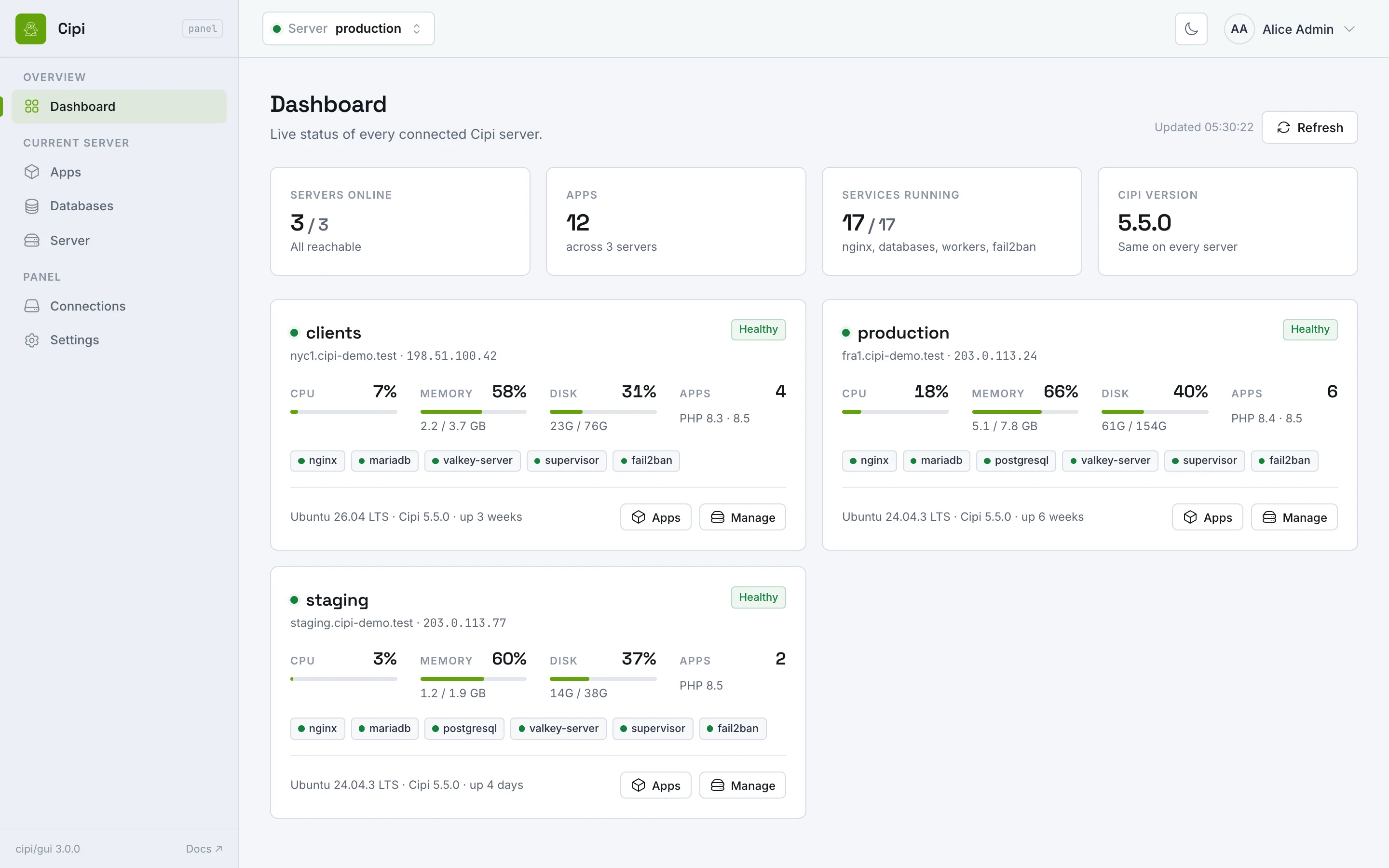
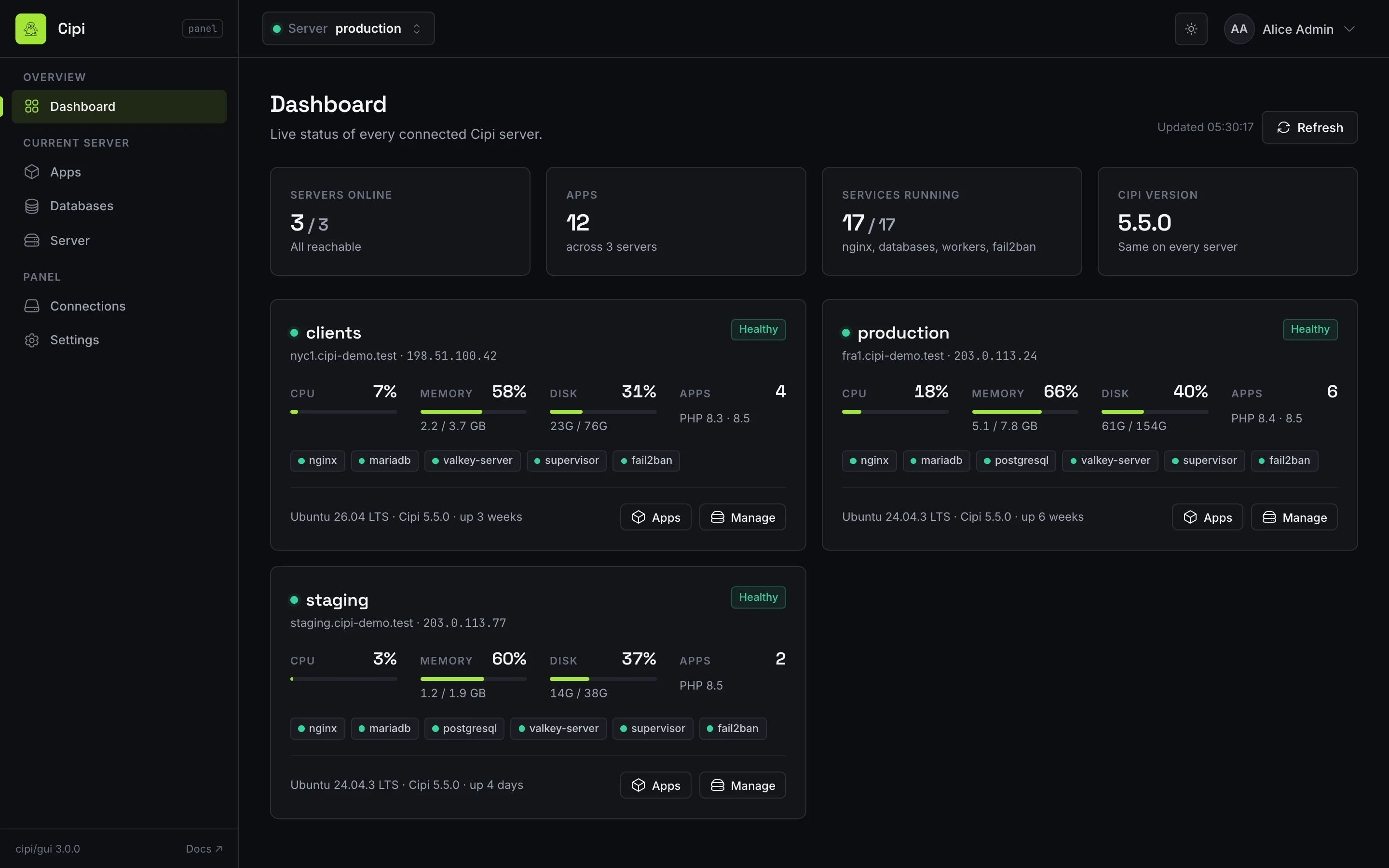
What you can do from the panel
- Manage apps — create, edit, deploy, suspend/unsuspend, fix permissions and
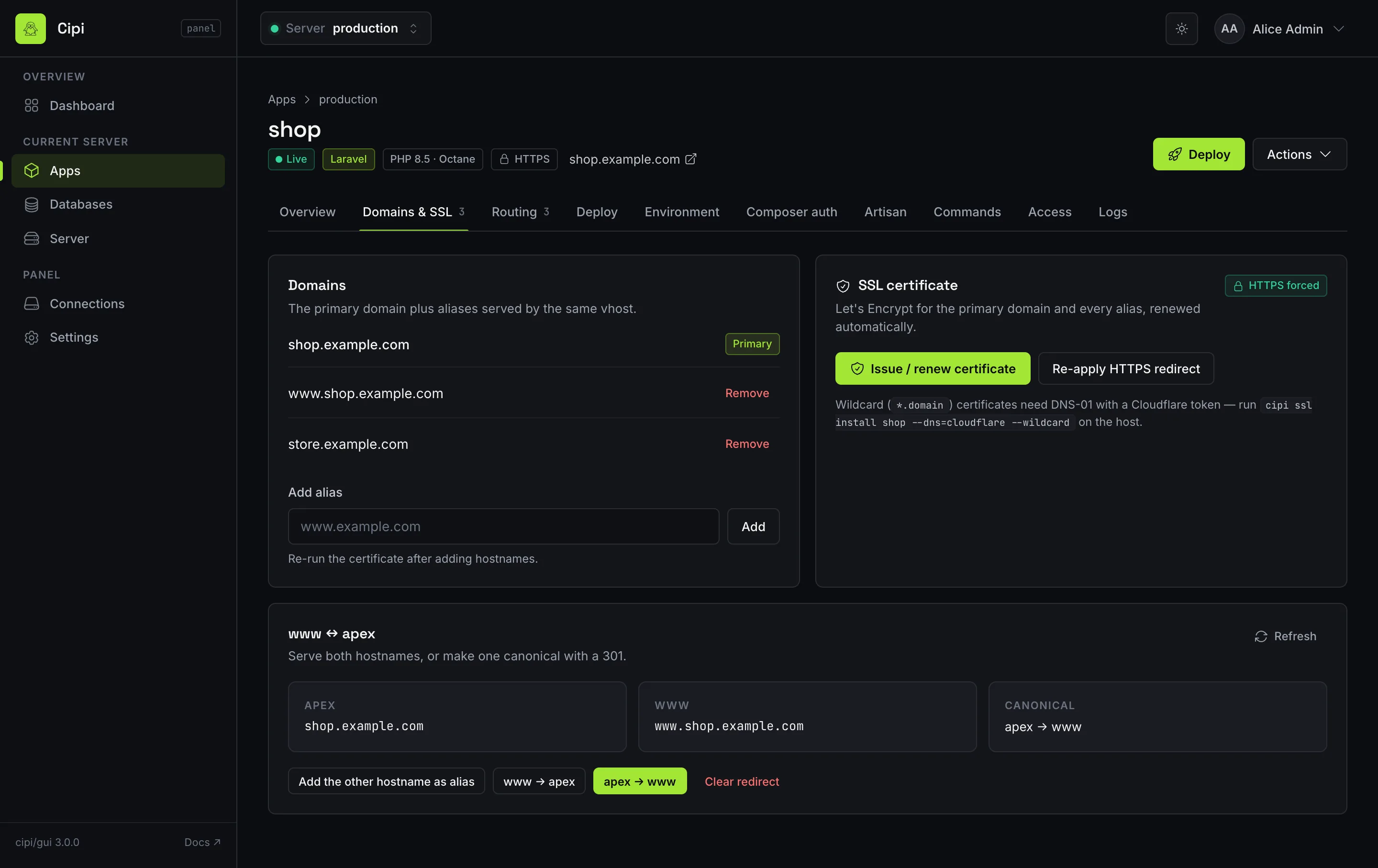
delete Laravel, Node (SPA / static / SSR) and custom apps; manage aliases,
WWW/apex redirects, SSL (install + force HTTPS), and HTTP basic auth. Wildcard primary domains
(
*.example.com) are accepted. - Create Node apps with a framework preset (Next.js, Nuxt, SvelteKit, Astro, Remix, Vite), Node major, build/start commands, output directory and health path; edit them later, restart SSR apps blue/green, and pin a Laravel app's asset build to its own Node major (API 1.31+ / Cipi 5.4.1+). See Node apps.
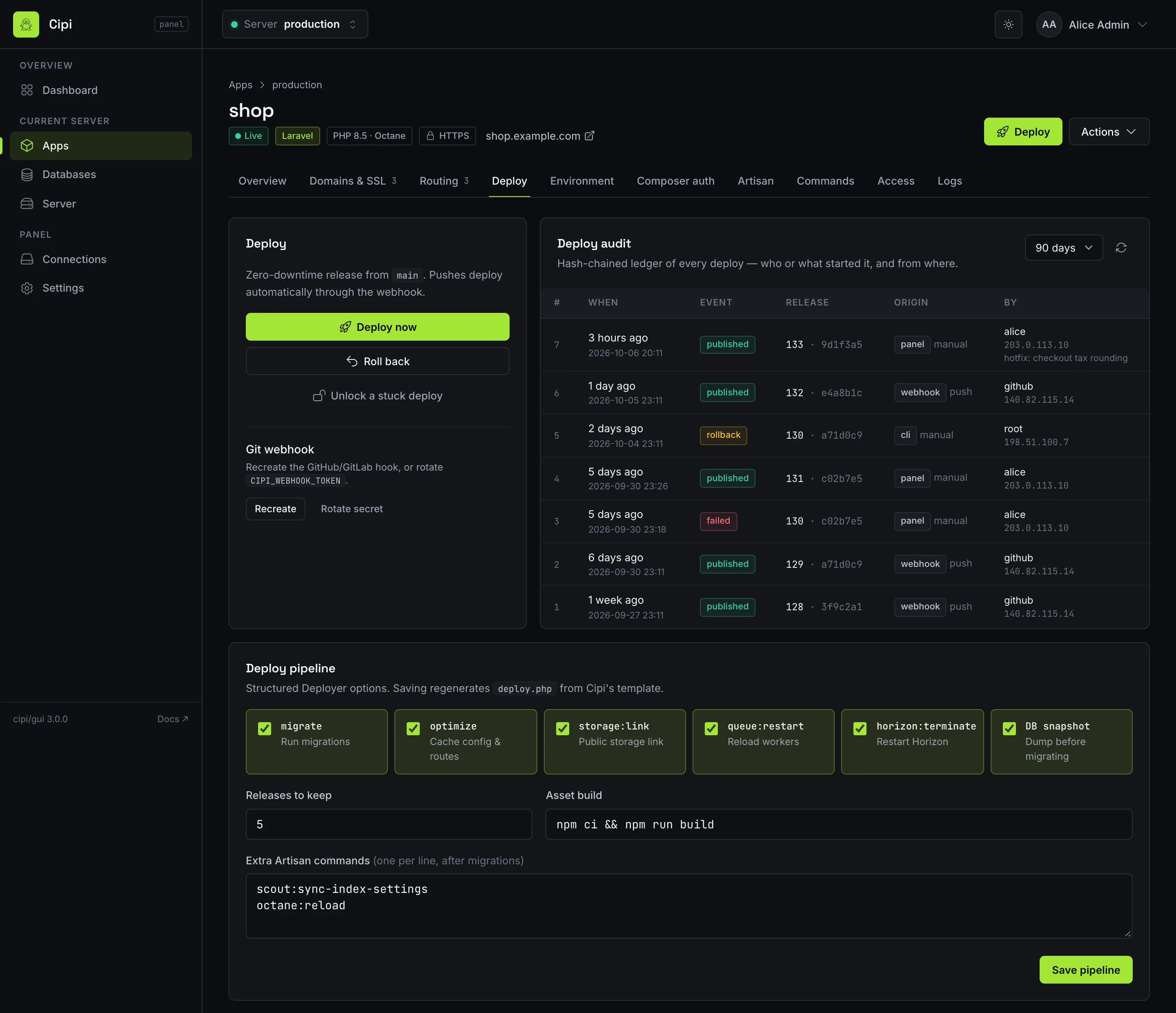
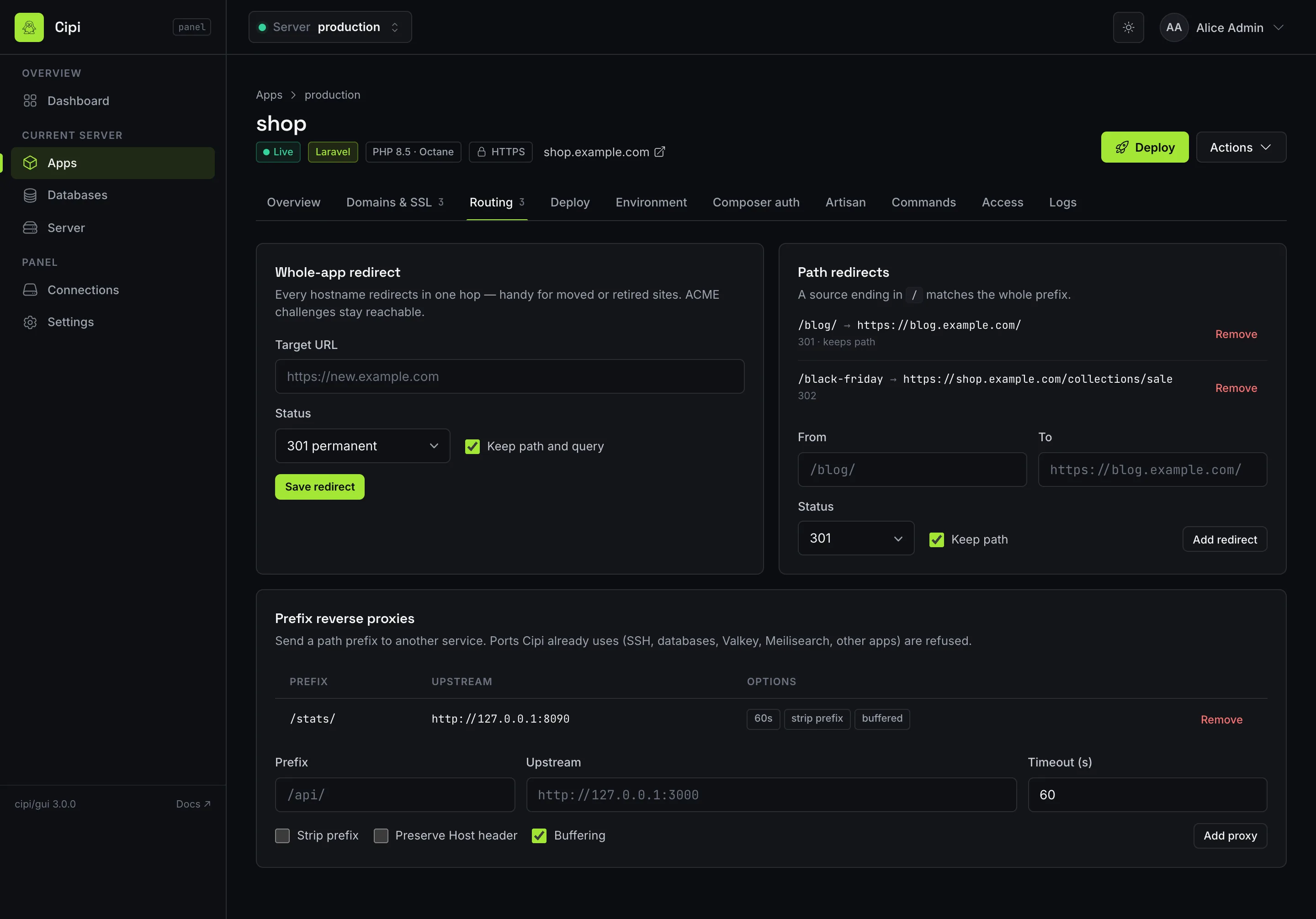
- Routing — whole-app redirects (set, enable, disable, unset), path redirects
and prefix reverse proxies, with the same validation as
cipi redirectandcipi proxy(API 1.31+ / Cipi 5.4.1+). - Deploy — deploy, rollback and unlock; structured
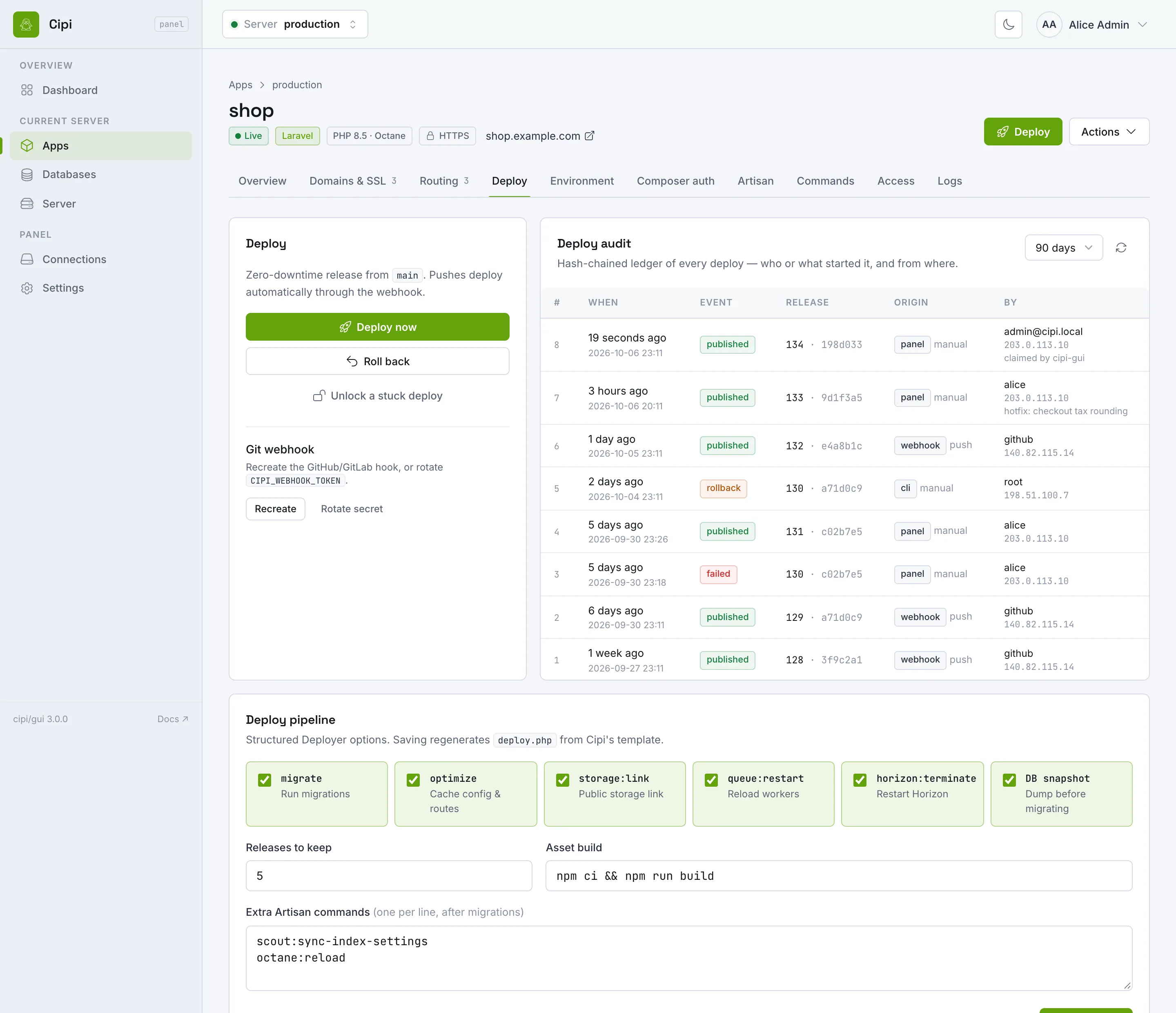
deploy.phpoptions; and the app's deploy audit ledger — who or what deployed each release, from where (API 1.31+ / Cipi 5.4.0+). cipi.yml— the app's tab shows the file of the live release, whether it is valid, what applying would change and what blocks it; apply it as a job, and turn auto-apply after every deploy on or off, with a confirmation that says who can then change the server (API 1.35+ / Cipi 5.6.4+). Seecipi.yml.- Search — Meilisearch status and per-app enable/disable for Laravel Scout (API 1.31+ / Cipi 5.2.2+).
- Create Laravel apps with optional Laravel Octane (FrankenPHP) (API 1.13+ / Cipi 5.0+); list and detail views show FPM vs Octane.
- Edit app
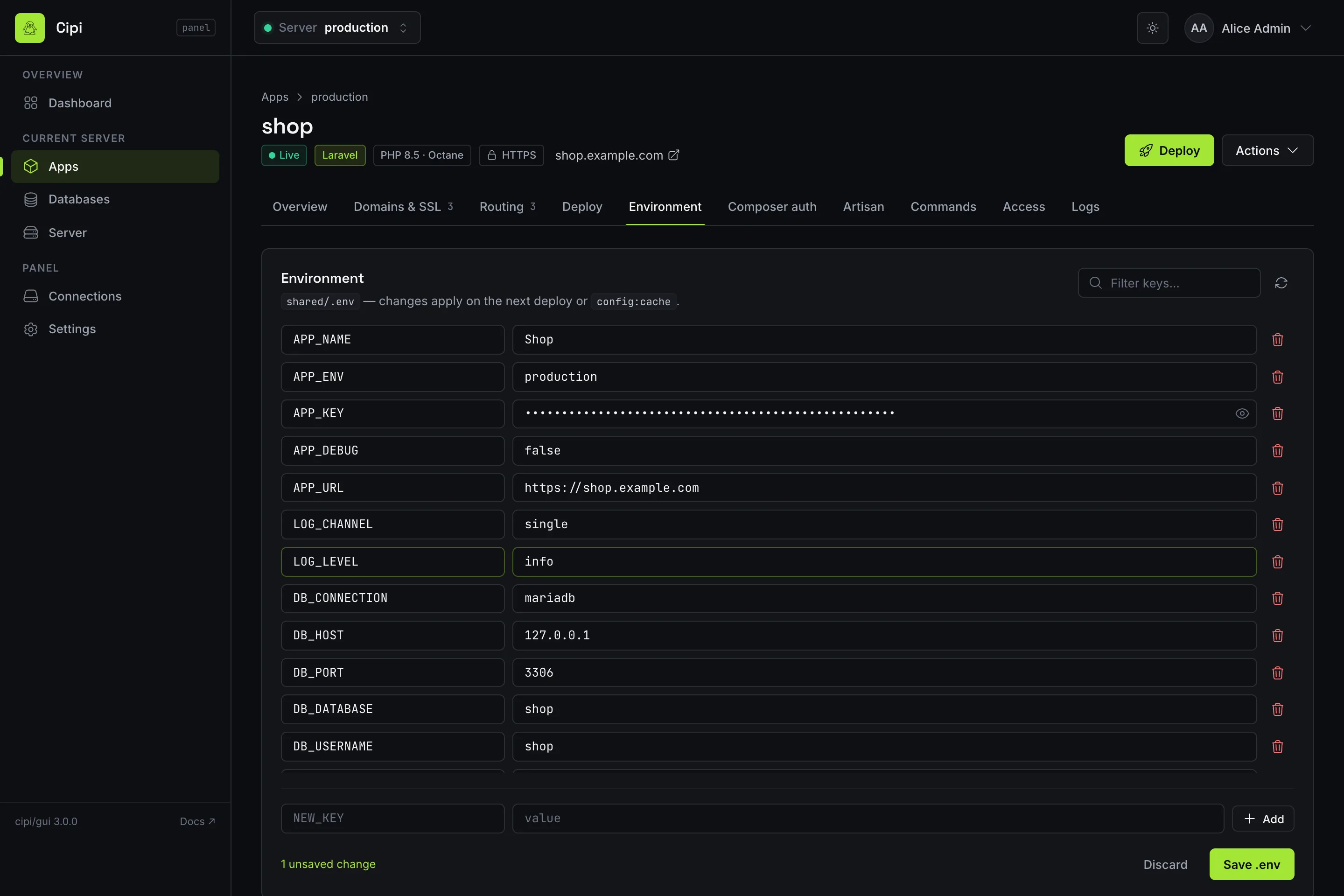
.env, manage Composerauth.json, run Artisan, and execute whitelisted App commands (cipi app run) — requires API 1.14+ / Cipi 5.0.3+ (terminal output supports Markdown copy). - Pick a database engine at app create (
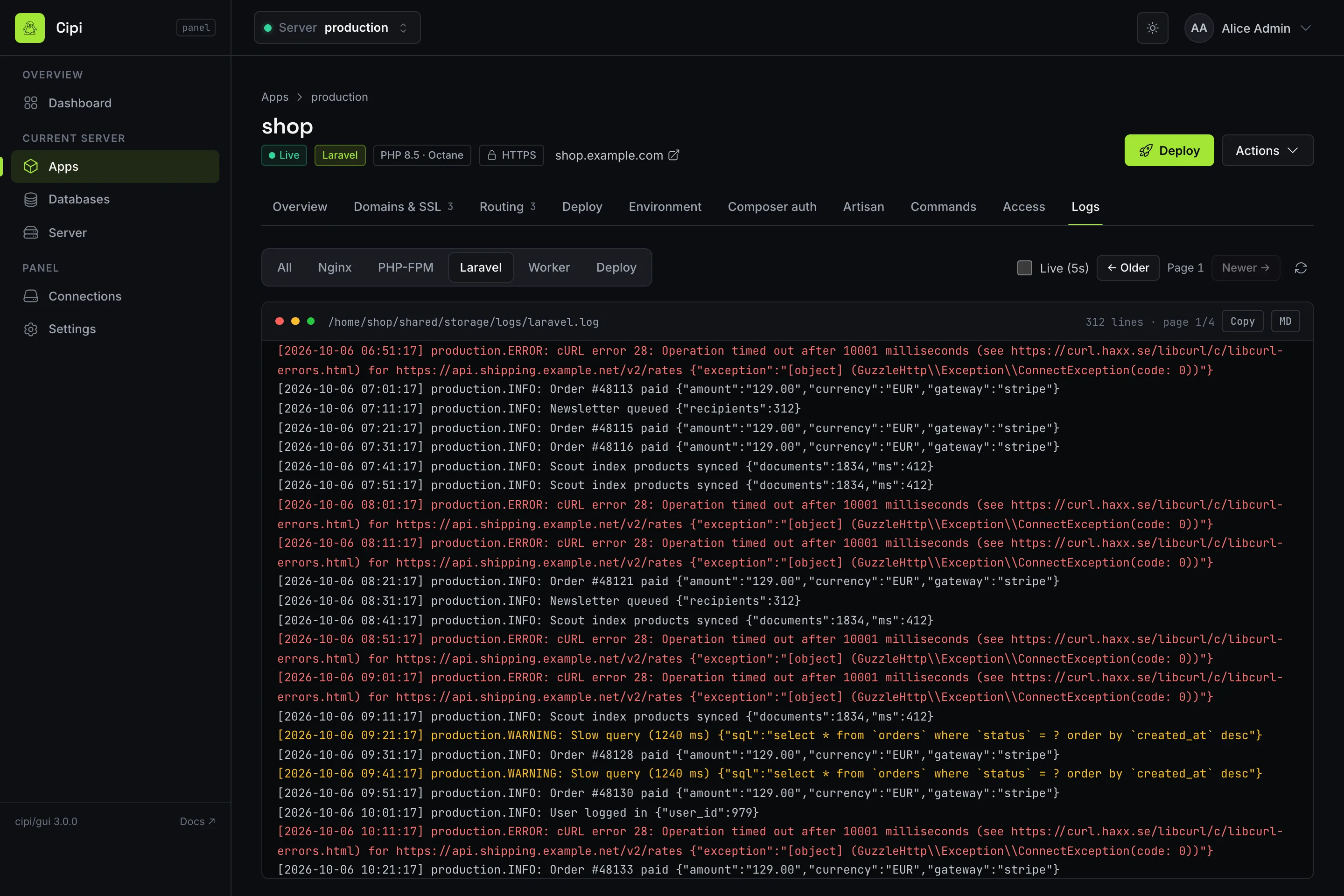
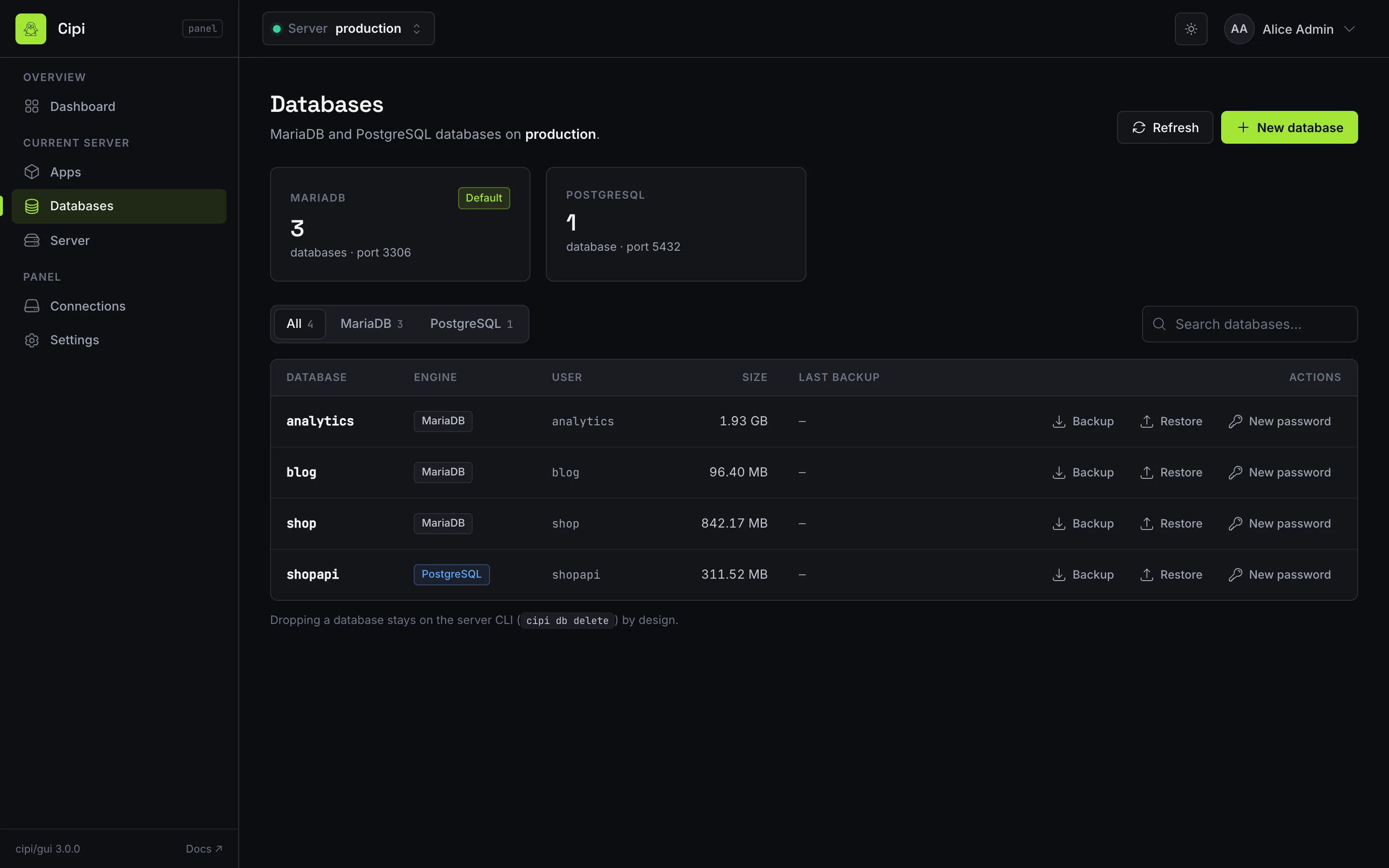
mariadborpgsql) and manage multi-engine databases — list, create, back up, restore, regenerate passwords (API 1.12+ / Cipi 4.8+). Deleting a database stays on the host CLI since API 1.19. - Browse application and server logs with type filter, pagination, and auto-refresh.
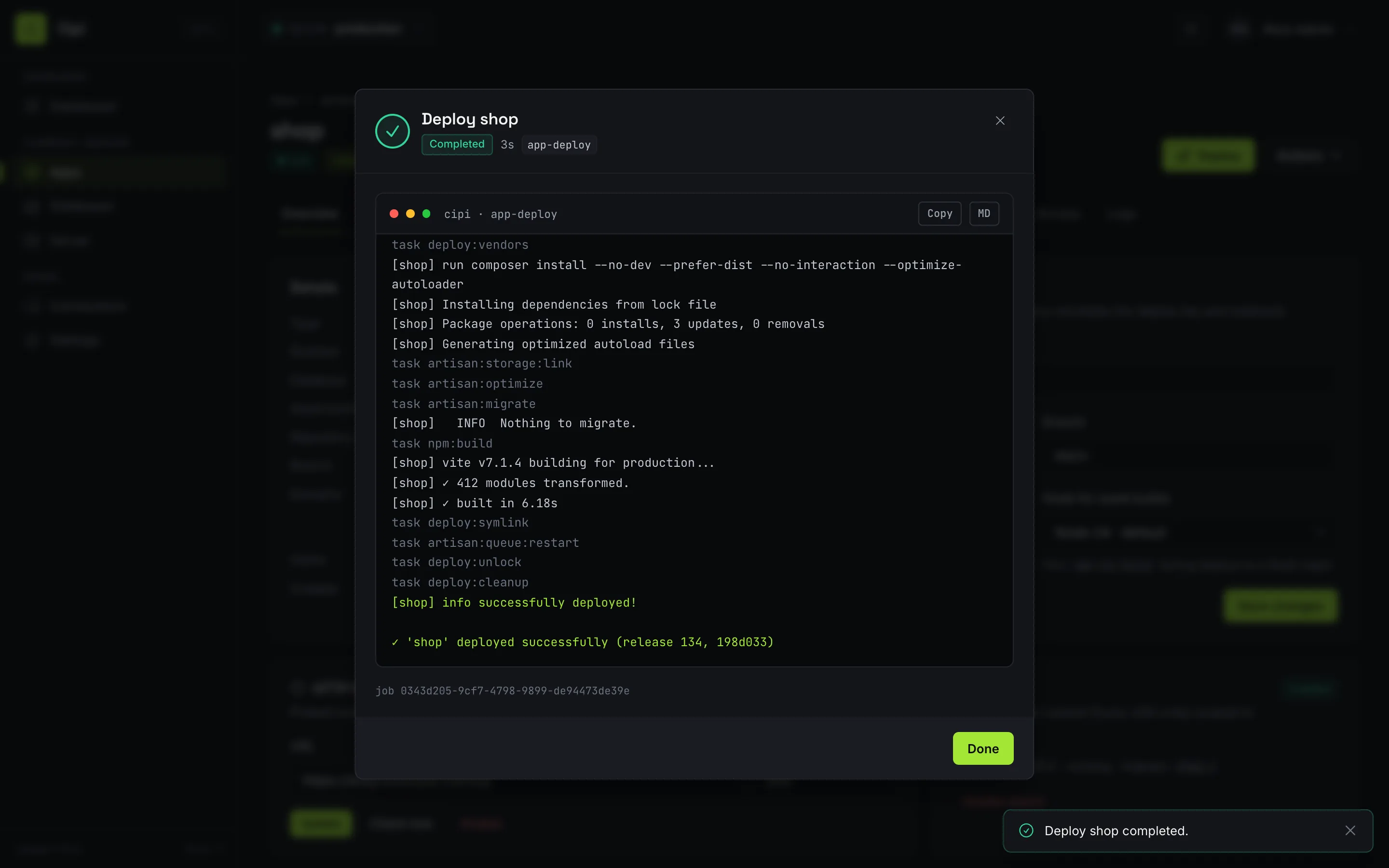
- Watch async jobs in an interactive overlay (spinner + terminal output while
polling
GET /api/jobs/{id}). - Live dashboard — CPU, memory, disk, services, and app count via
GET /api/status. - Server cockpit (API 1.15+ / Cipi 5.0.6+) —
install PHP versions, manage SSH keys, services, SMTP notifications, HTTP healthchecks, and
panel API IP whitelist from the browser. Since API 1.31 the same page shows
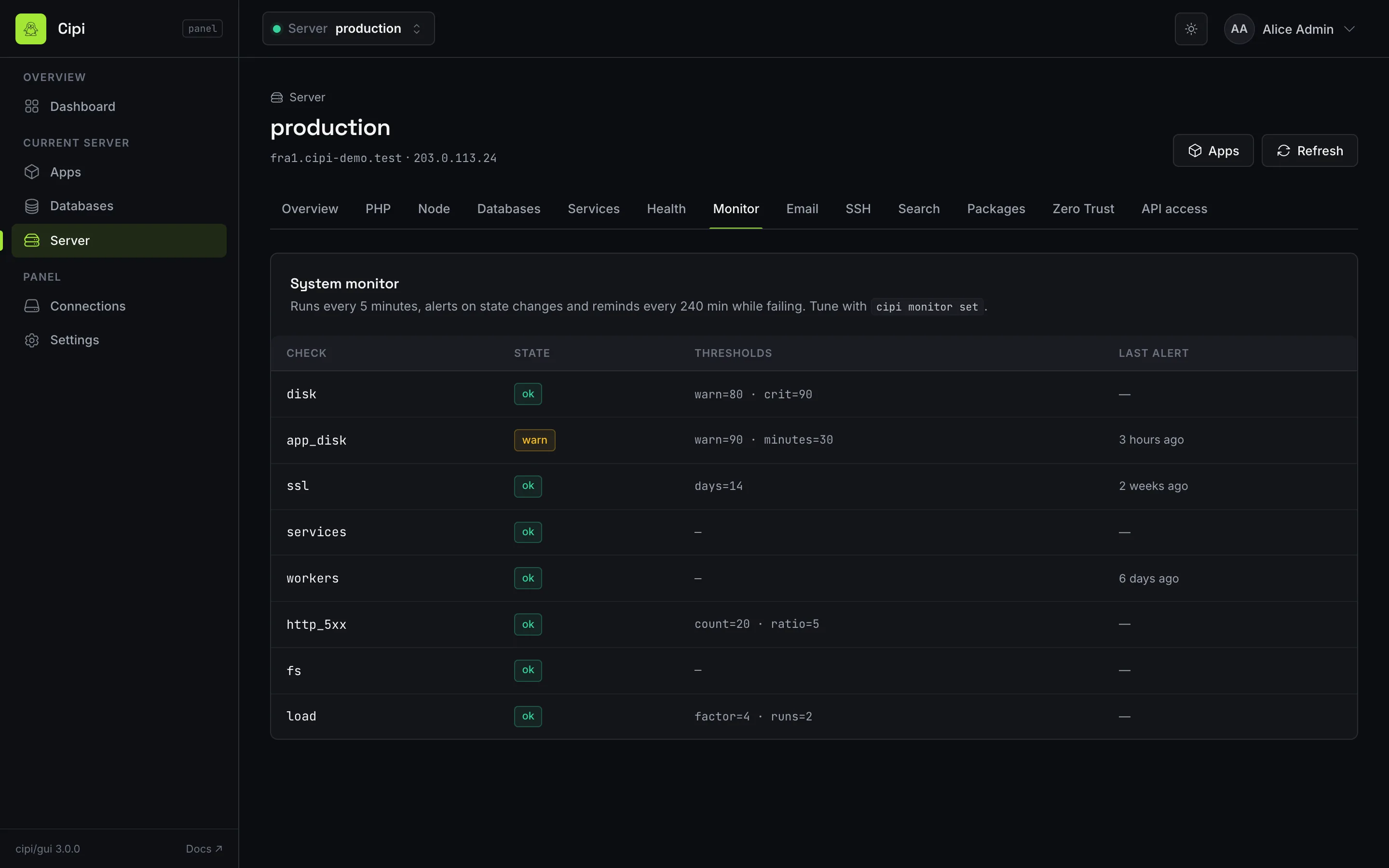
Node runtimes, Meilisearch, the optional host packages
catalog, the system monitor and Cloudflare Zero Trust status
— read-only by design: installing software, changing monitor thresholds and every
ztchange stay with the operator on the CLI. Since API 1.33 (panel 3.1, Cipi 5.5.2+) the same page has a Disk tab: who is filling the disk, the figures ofcipi diskandcipi disk db. - Register and switch between multiple servers from one login — the current server is picked from the header on every page, and app links carry the server so they can be bookmarked and shared.
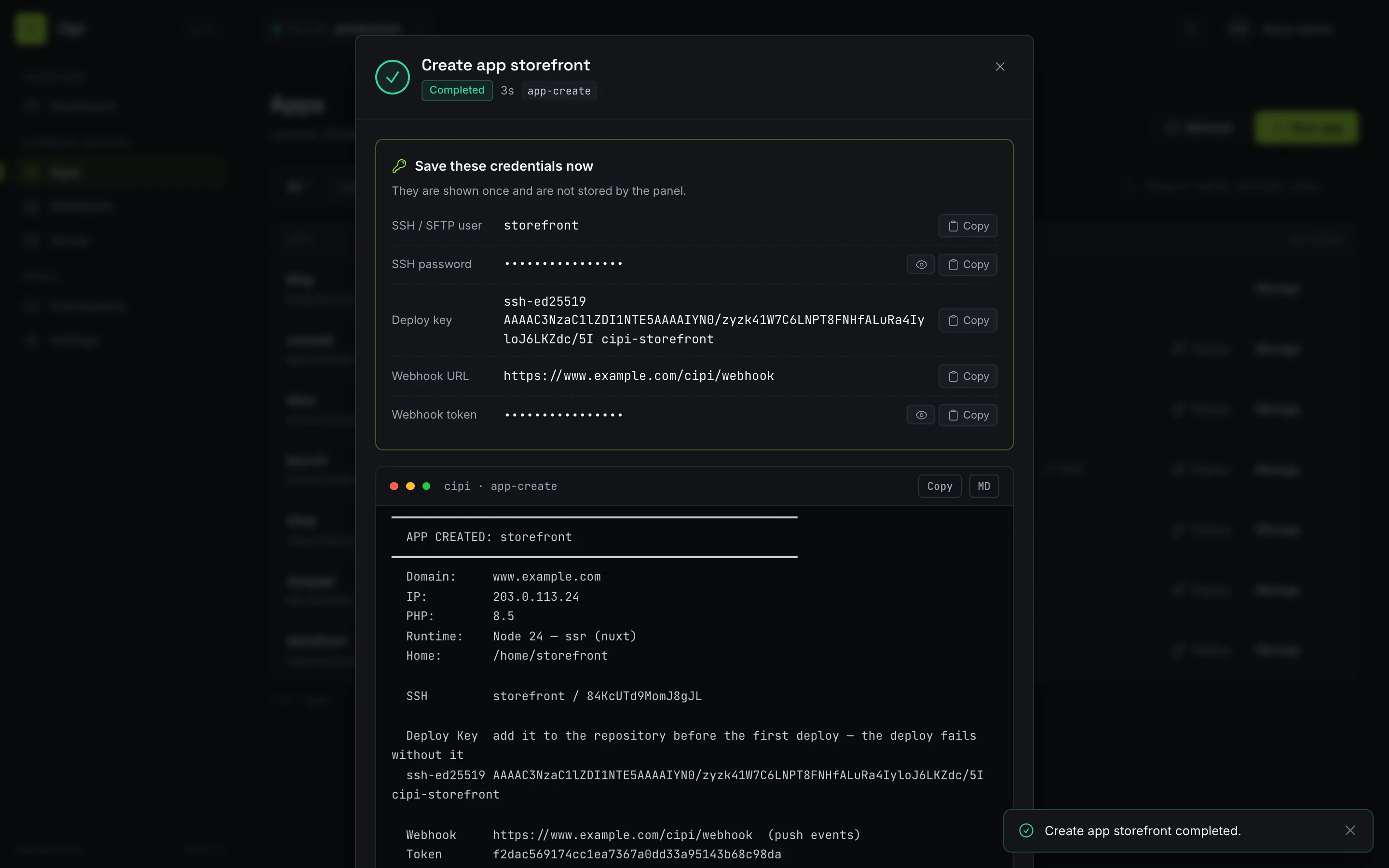
- One-time credentials (SSH and database passwords, deploy key, webhook URL and token) are listed with copy buttons when a job returns them, instead of being buried in CLI output.
- Repository check and build at creation (panel 3.2, API
1.34, Cipi 5.6.0+): creating a Laravel app takes an optional
build command (
npm ci && npm run build) that runs on every deploy before the release goes live, and the job overlay says whether the deploy key can read the repository — after a create, or an edit that changed the repository or branch. When it cannot, it shows git's error and the command to run on the server, with a copy button: the API cannot save Git tokens, so that step stays on SSH. - Light and dark themes, a phone layout, and per-section fallbacks: a server whose API is older or whose token is narrower still works for everything it supports.
Panel 3.0 (October 2026) redesigned every page around the same design system as this site. Panel 3.1 adds Server → Disk. See the screenshot tour and the changelog.
Control Panel (GUI)
Screenshot tour
Every image below is a real screenshot of the panel, taken against its demo environment — a
stand-in for the panel API with three fictional servers that ships with the package
(./dev/demo.sh; --reset picks up the API 1.33 disk fixtures). Domains and
IPs are documentation ranges.
Apps
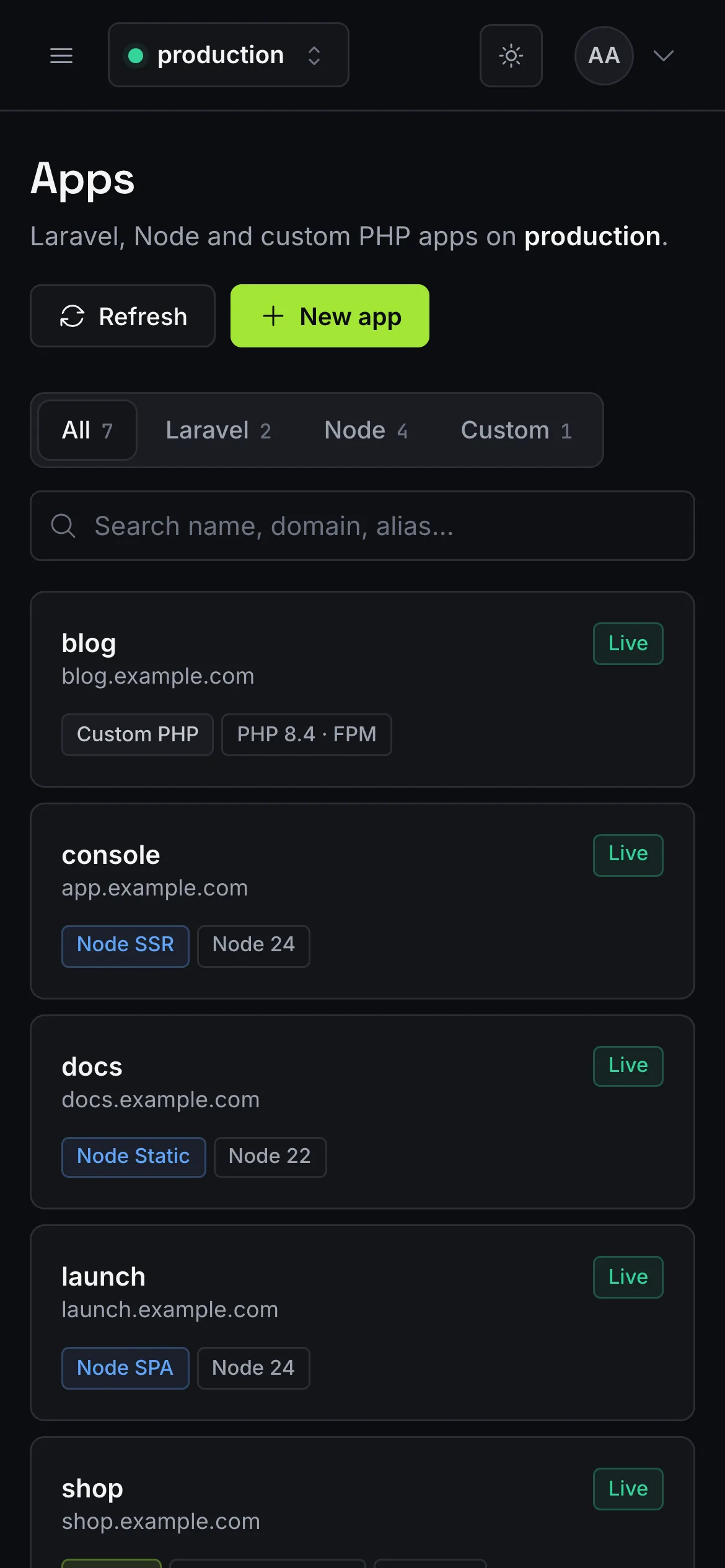
Laravel (PHP-FPM or Octane), Node (SPA, static, SSR) and custom PHP apps of the current server, with type filters, search and a deploy button on every row.
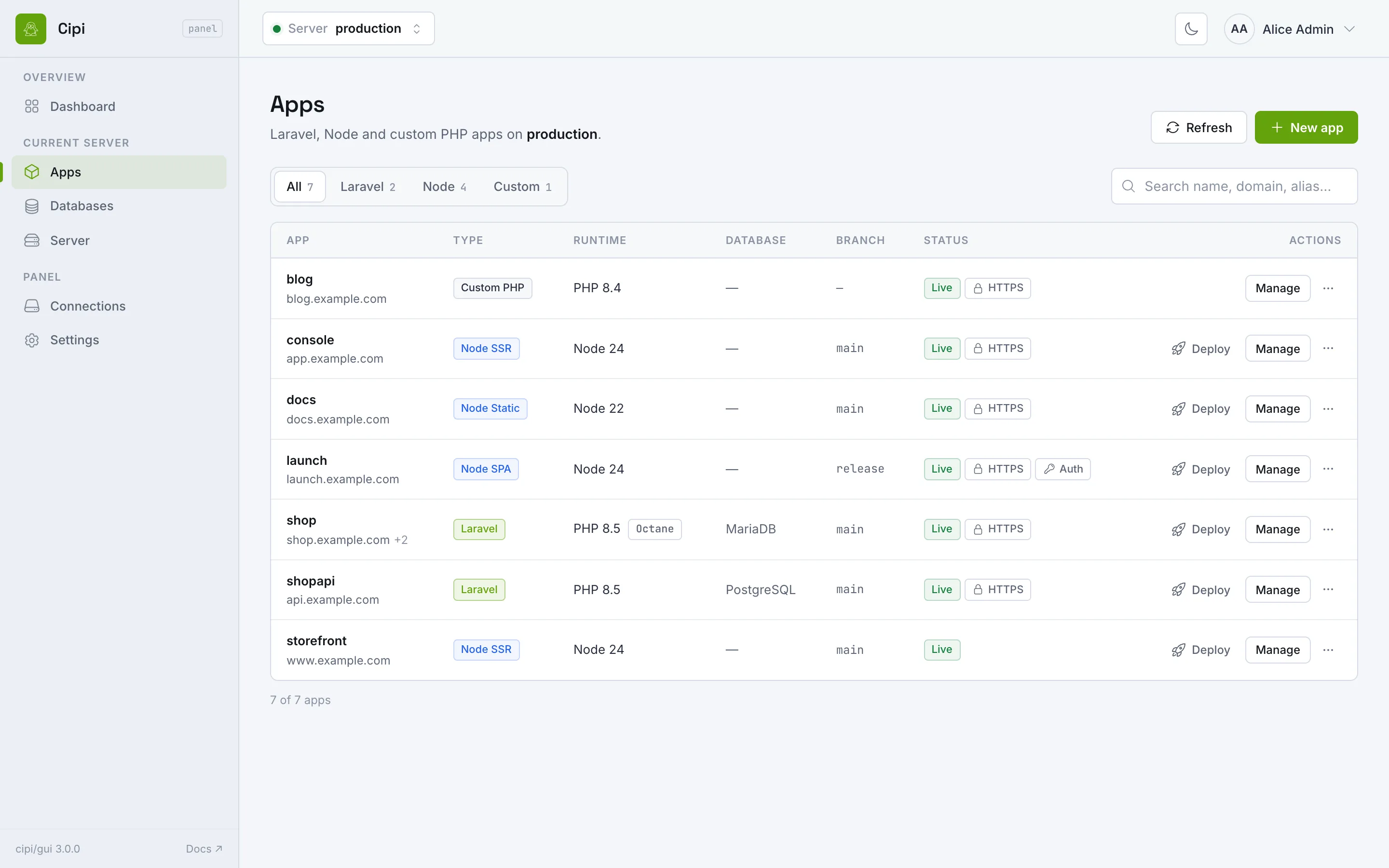
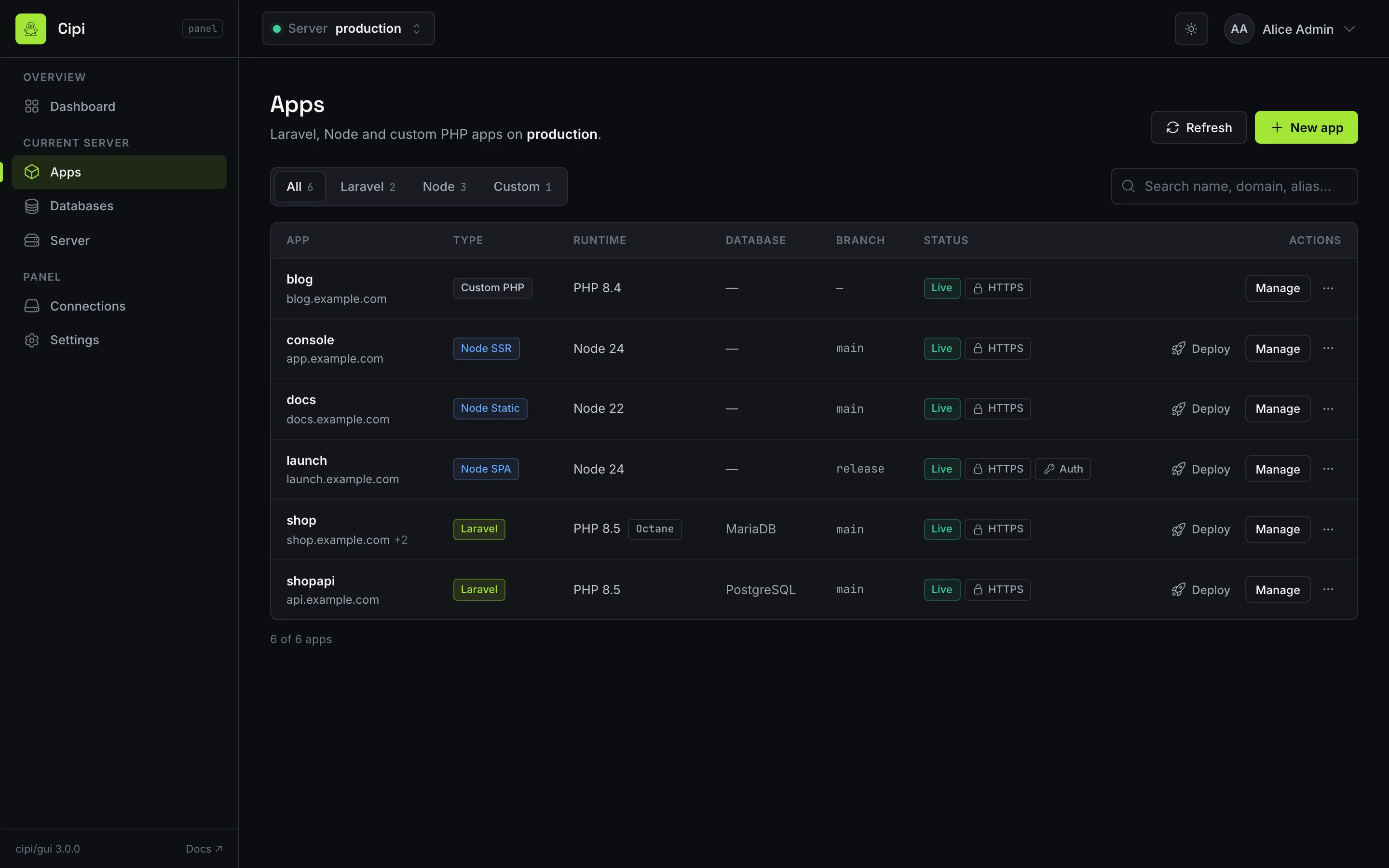
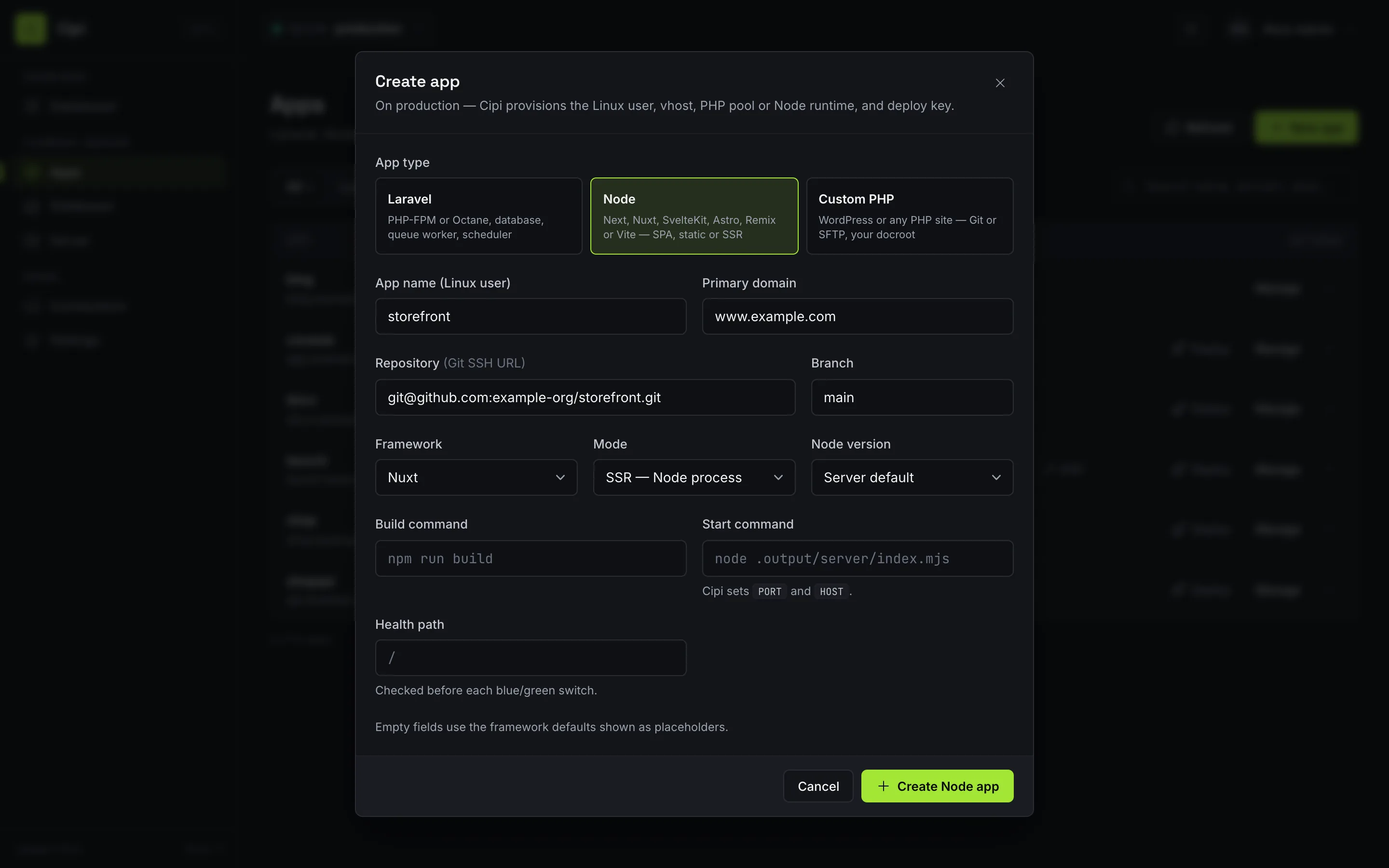
Creating an app starts with its type. Node framework presets (Next.js, Nuxt, SvelteKit, Astro, Remix, Vite) fill the mode and show the same defaults cipi app create --node uses.
App detail
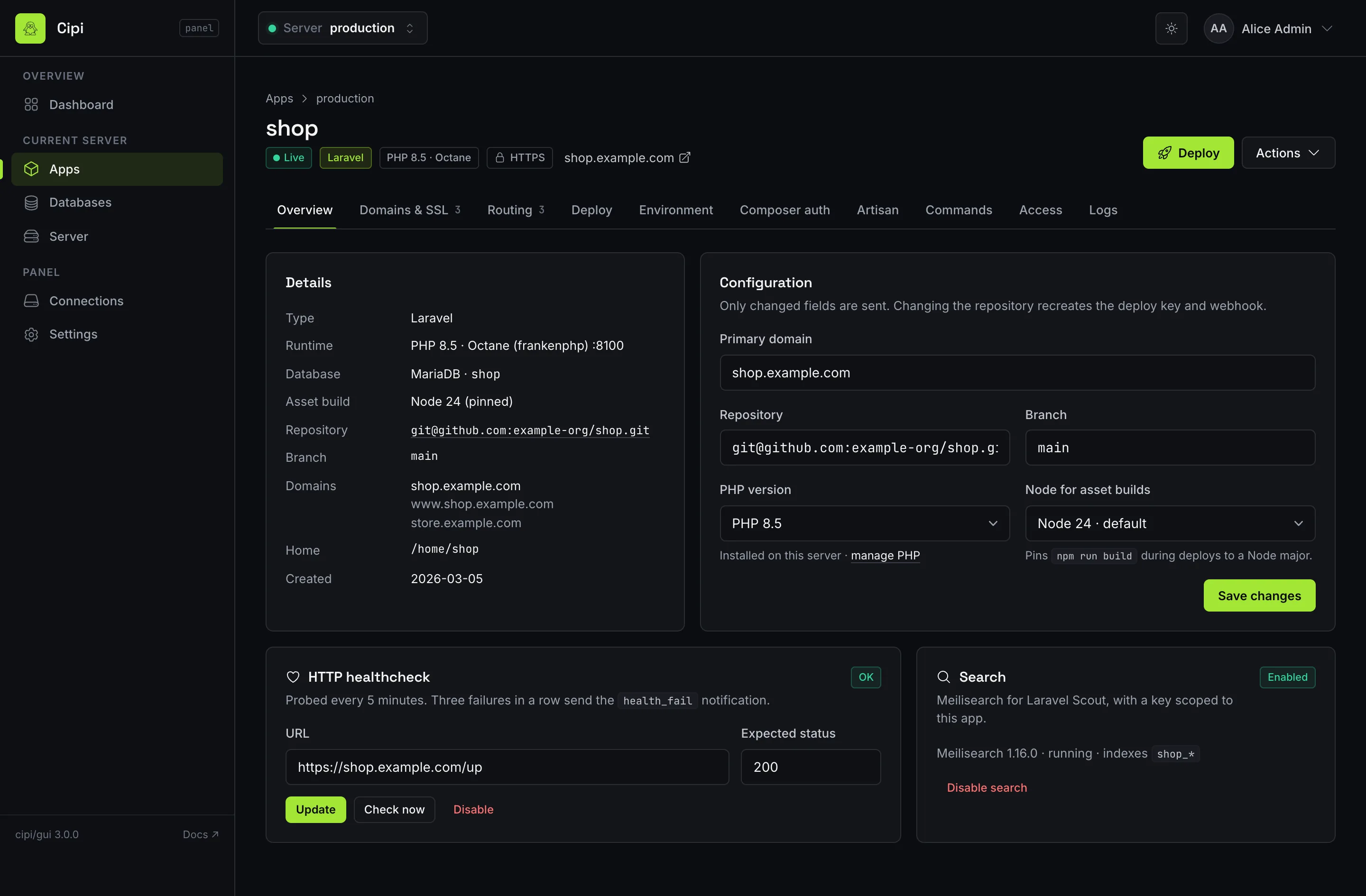
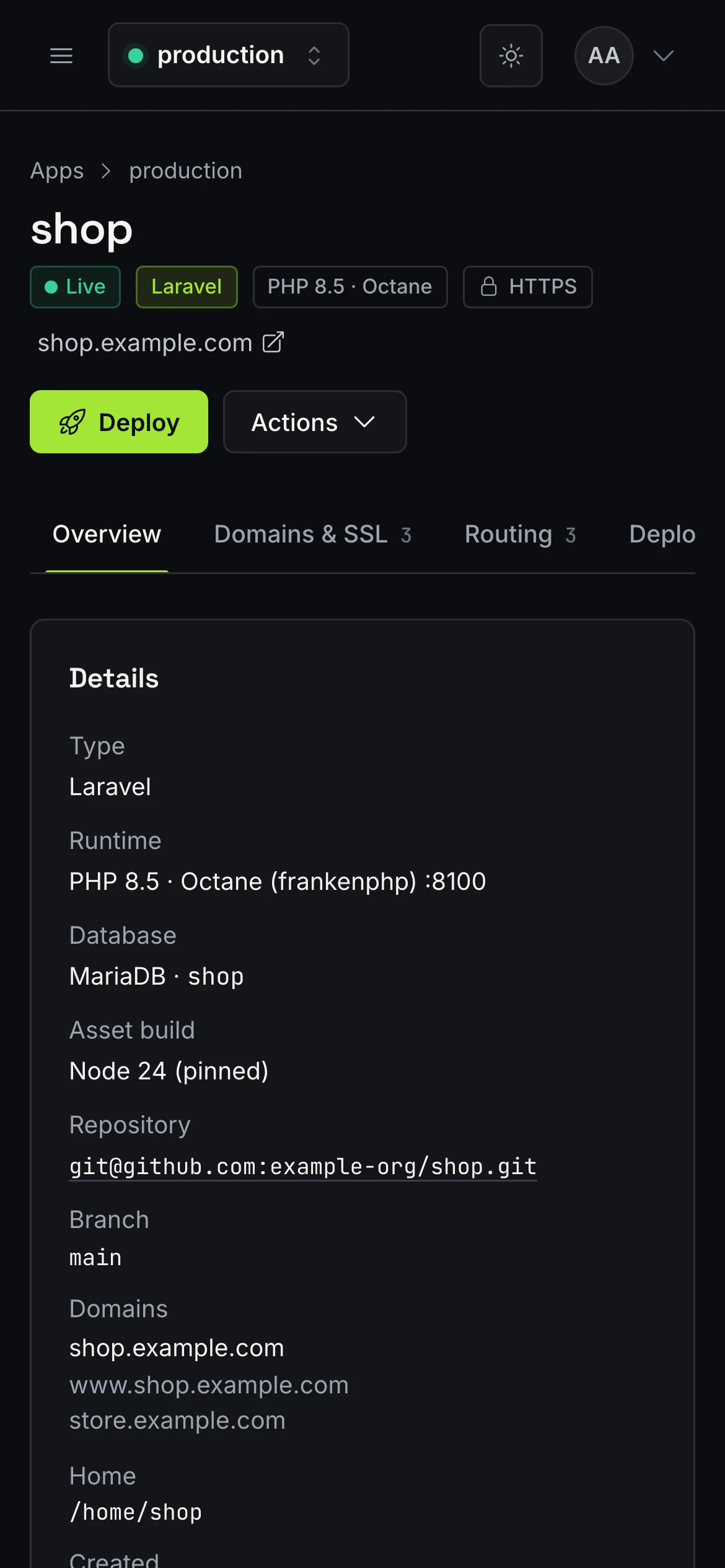
A header with status, type, runtime and quick actions, then one tab per area. Tabs are part of the URL, so ?tab=deploy can be bookmarked.
Jobs
Deploys, SSL, app and database operations run as async jobs on the server. The overlay polls GET /api/jobs/{id}, shows the elapsed time and colour-codes the CLI output; closing it leaves the job running.
Databases and server
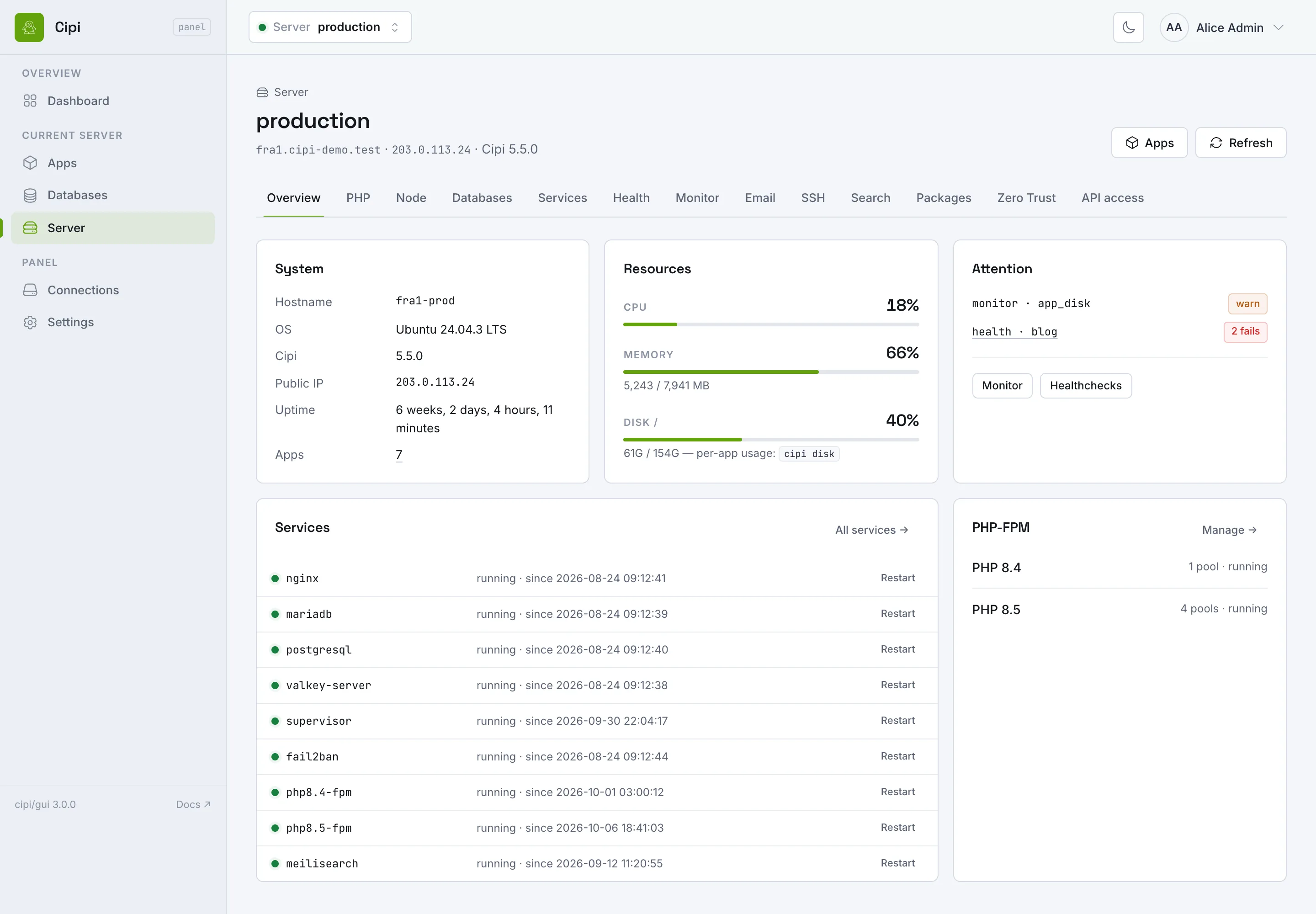
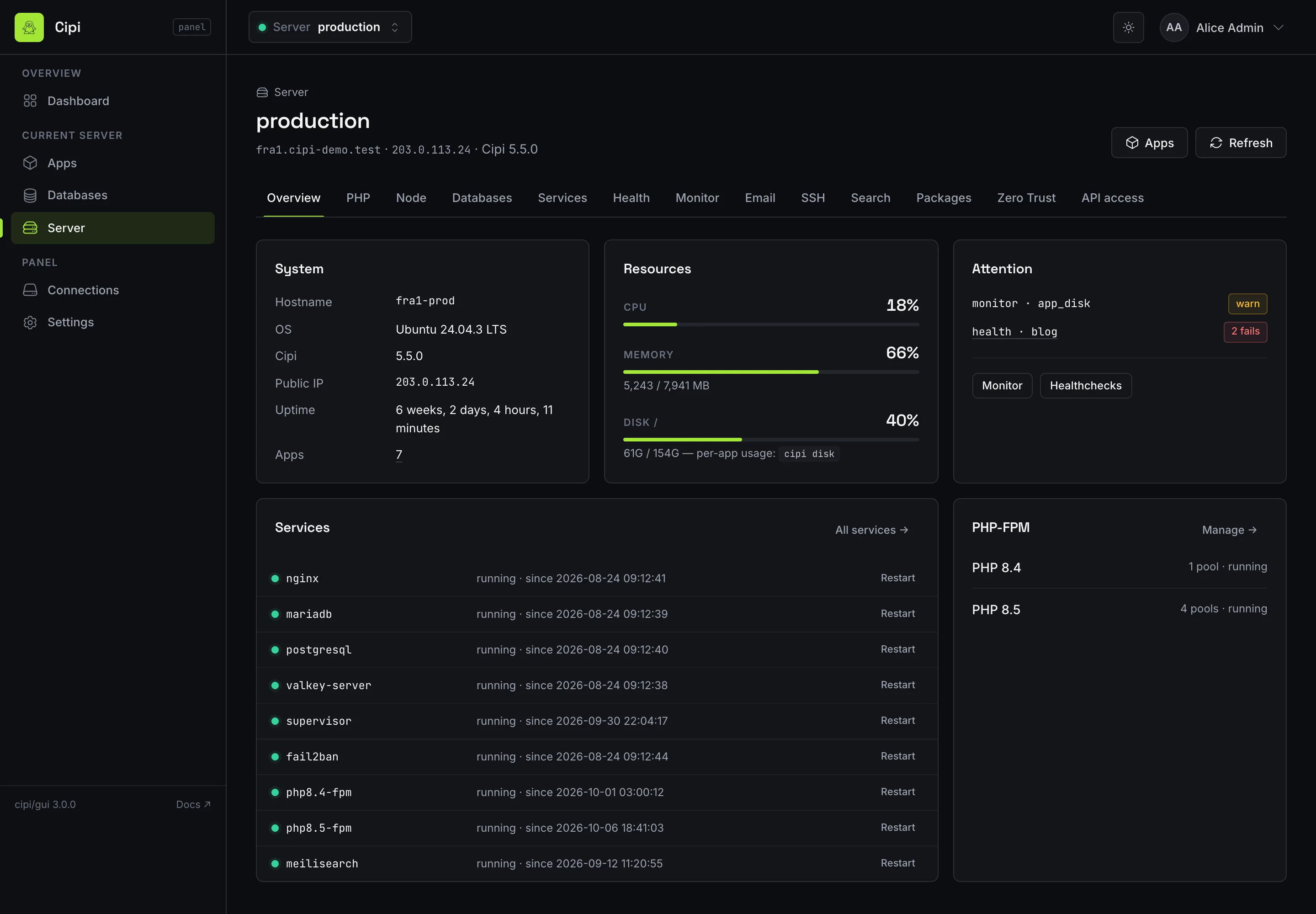
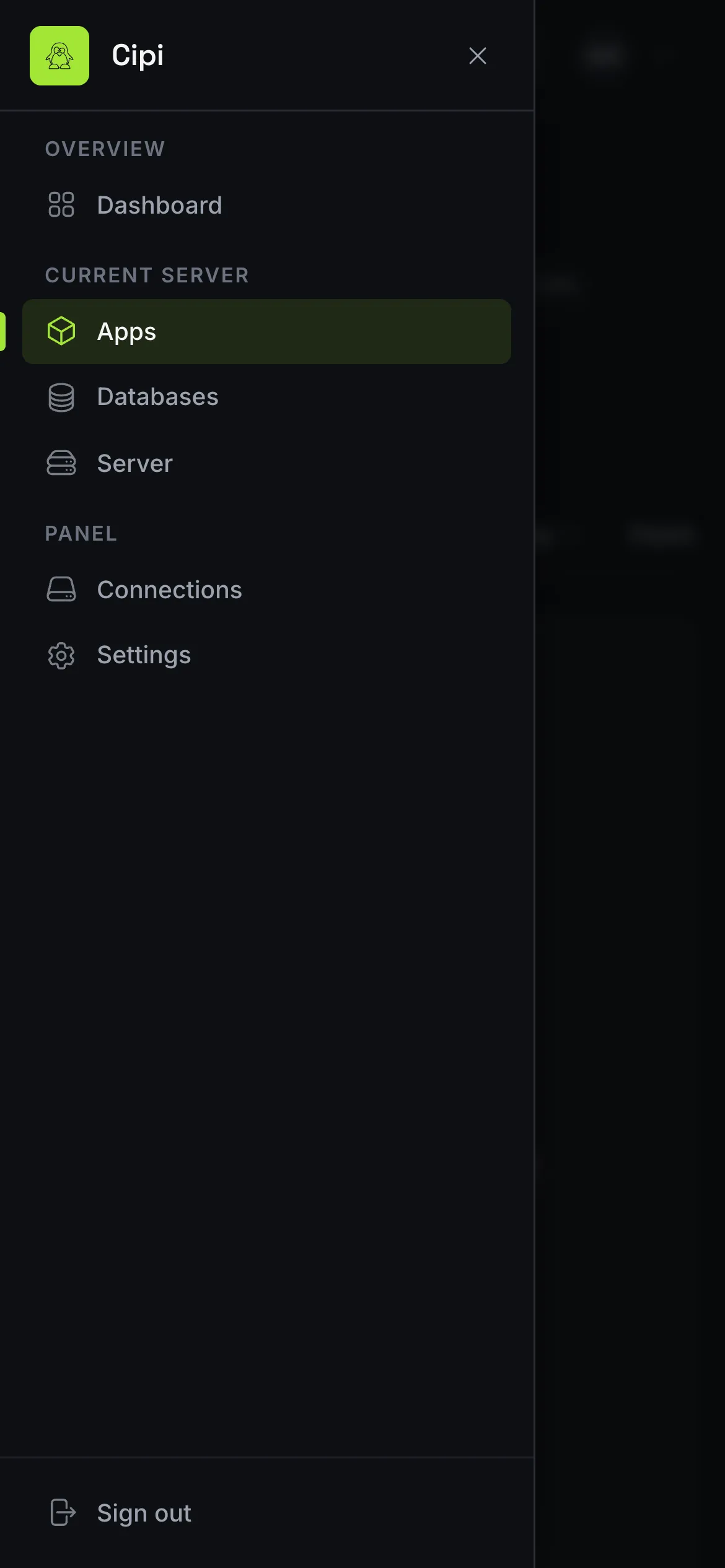
Connections, security and phones
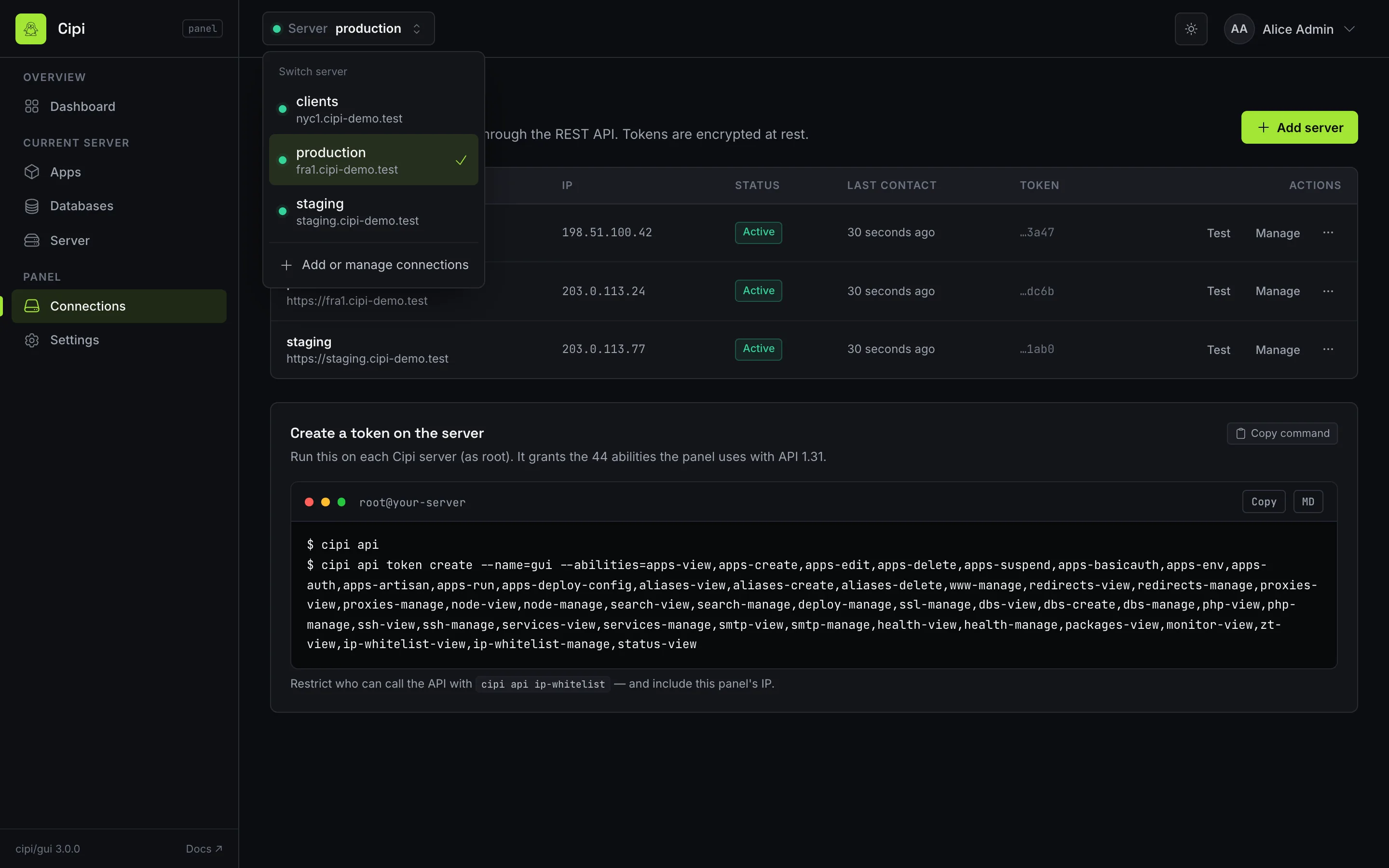
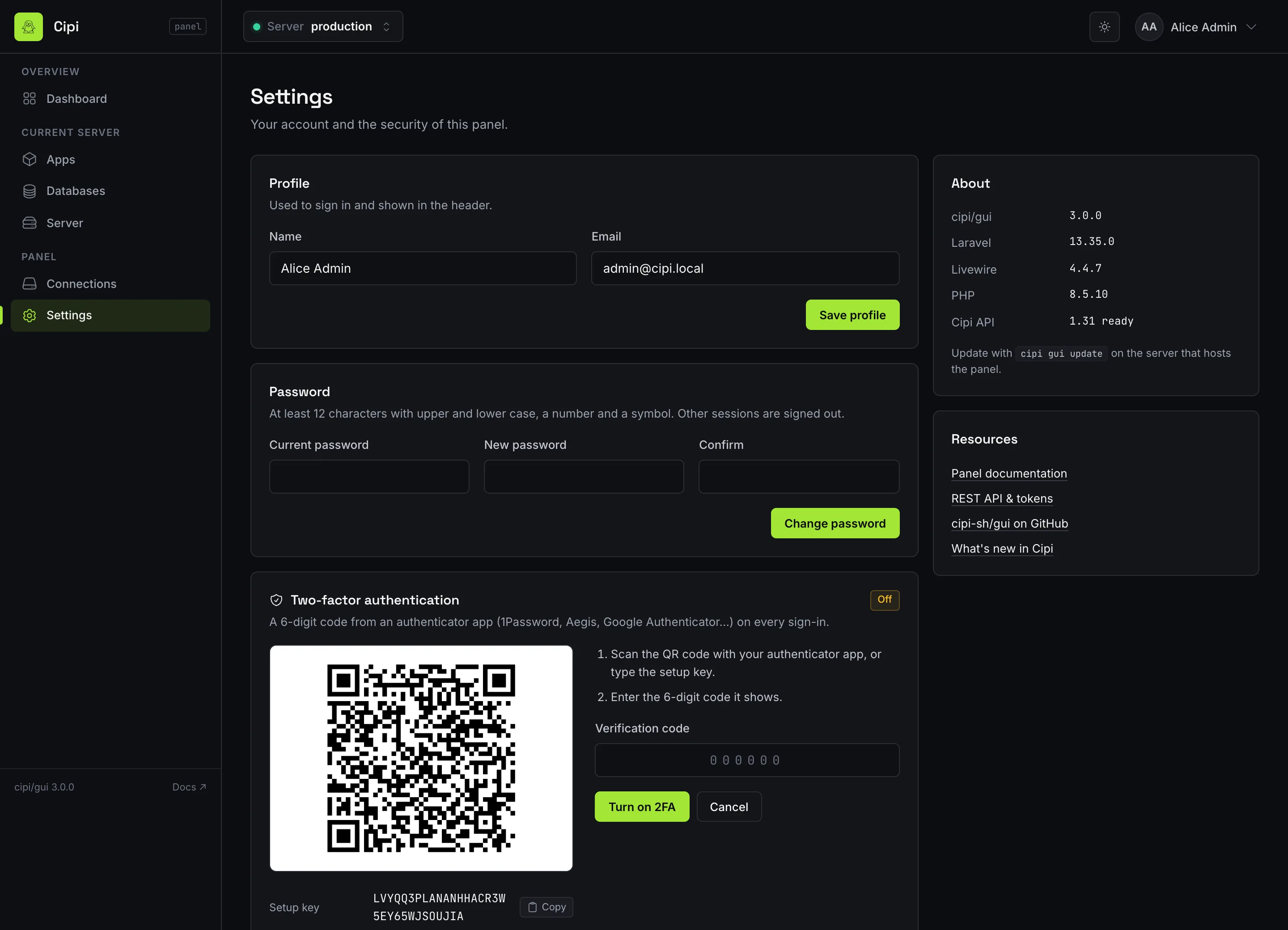
Control Panel (GUI)
Requirements
The panel talks to your servers exclusively through the Cipi REST API. Before installing it, make sure each server you want to manage has the API enabled with a token that covers the full ability set.
cipi api installed and a
Bearer token with all abilities. See the API setup guide to
generate one.
- A running Cipi server (Ubuntu 24.04 / 26.04) to host the panel — this can be one of the servers you manage or a small dedicated box.
- A domain or subdomain of its own, pointed at that server with a DNS
A(andAAAA) record, e.g.panel.example.com. The panel is a separate Laravel application with its own Nginx vhost and certificate. It cannot share a hostname with an app, or with the API, which needs its own too, e.g.api.example.com(see a domain of its own). Since Cipi 5.7.0, Cipi refuses a domain that is already taken. cipi apienabled on every server you want to control, each with a full-ability token (includewww-manage,status-view, and for app toolingapps-env,apps-auth,apps-artisan,apps-run,apps-deploy-config). For Node apps, redirects and proxies, managed servers need API 1.31+ and Cipi 5.4.1+ (the 5.4.1 migration opens those commands to the panel sudoers); the deploy audit needs Cipi 5.4.0+. Server → Disk needs API 1.33+, thedisk-viewability and Cipi 5.5.2+ (migration 5.5.2). The app'scipi.ymltab needs API 1.35+, theyml-view/yml-manageabilities and Cipi 5.6.4+. For server cockpit (PHP, SSH, services, SMTP, health, IP whitelist), managed servers need API 1.15+ and Cipi 5.0.6+. For.env/auth.json/ Artisan / App commands, managed servers need API 1.14+ and Cipi 5.0.3+. For Octane create and FPM/Octane indicators, API 1.13+ and Cipi 5.0+. For multi-engine MariaDB/PostgreSQL and www redirects, API 1.12+ and Cipi 4.8+.
A token covering everything the panel uses (API 1.35):
cipi api token create --name=gui --abilities=apps-view,apps-create,apps-edit,apps-delete,apps-suspend,apps-basicauth,apps-env,apps-auth,apps-artisan,apps-run,apps-deploy-config,aliases-view,aliases-create,aliases-delete,www-manage,redirects-view,redirects-manage,proxies-view,proxies-manage,node-view,node-manage,search-view,search-manage,deploy-manage,ssl-manage,dbs-view,dbs-create,dbs-manage,php-view,php-manage,ssh-view,ssh-manage,services-view,services-manage,smtp-view,smtp-manage,health-view,health-manage,packages-view,monitor-view,zt-view,disk-view,yml-view,yml-manage,ip-whitelist-view,ip-whitelist-manage,status-view
PHP, the FPM pool, the Nginx vhost and the scheduler are all provisioned for you by the installer — you do not set up a Laravel environment by hand.
Control Panel (GUI)
Installation — cipi gui <domain>
One command provisions the whole panel on a Cipi server: a dedicated PHP-FPM pool, an Nginx vhost for
your domain, and a scheduler cron job. The Laravel app is bundled at /opt/cipi/gui,
the same model used by the cipi-api package.
cipi gui panel.example.com
The installer prompts interactively for the first administrator account — an email and a password. The password must satisfy the panel's policy:
- Minimum 12 characters.
- At least one uppercase, one lowercase, one digit, and one special character.
- No more than 4 identical consecutive characters.
Configuration is written to /etc/cipi/gui.json. Once the command finishes, open your
domain in a browser and log in with the admin account you just created.
The domain you pass is the panel's alone. If you have an app on example.com on the same
server, the panel goes on a subdomain such as panel.example.com, not on
example.com or one of the app's aliases. Cipi refuses those, and refuses the API's domain.
Picked the wrong one? cipi gui move changes it.
cipi gui ssl right after installation to secure it.
Control Panel (GUI)
SSL — cipi gui ssl
Issue a free Let's Encrypt certificate for the panel's domain and switch it to HTTPS. The panel is HTTPS-aware and sets the correct forwarded headers behind the Cipi Nginx vhost.
cipi gui ssl
The certificate renews automatically through the same ACME renewal that Cipi uses for app domains. Since 5.7.0 a failed certbot run is reported as a failure (exit 1). Before, the command could print “SSL installed” anyway.
Control Panel (GUI)
Changing domain — cipi gui move
Moves the panel to a new domain or subdomain. Admin accounts, 2FA enrolments and saved server connections stay; admins sign in again, since their sessions belong to the old domain.
cipi gui move panel.newdomain.com            # move and issue the new certificate
cipi gui move panel.newdomain.com --no-ssl   # move now, certificate later (cipi gui ssl)
- Point the new domain at the server first (DNS
A/AAAArecord). - The Nginx vhost is rewritten for the new domain. If
nginx -trejects it, the old vhost goes back and nothing else changes. /etc/cipi/gui.jsonandAPP_URLare updated.- SSL: the old domain's certificate is deleted, so nothing keeps renewing it,
and one is issued for the new domain. If that fails, the panel is already on the new domain
over HTTP: fix DNS or port 80 and run
cipi gui ssl.
The managed servers need no change: the panel calls their API URLs, and their IP whitelists are by
IP, not by domain. To move a managed server's API instead, run
cipi api move on that server and update
its URL under Connections.
cipi zt hostname remove --gui
before the move, then cipi zt hostname add --gui and
cipi zt access enable --gui after it. cipi gui move refuses to run
until the hostname is off the tunnel.
Control Panel (GUI)
Two-factor authentication (TOTP)
The panel uses classic session login and supports optional TOTP two-factor authentication. Each administrator can enrol an authenticator app (Google Authenticator, 1Password, Aegis, …) from their profile. 2FA is opt-in per user, not forced.
If an administrator loses access to their second factor, an operator with shell access can clear it
from the server with cipi gui reset-user, which rewrites
the account and removes the 2FA enrolment.
Control Panel (GUI)
Updating — gui update vs gui upgrade
The panel ships as the cipi/gui Composer package, so updates are ordinary Composer
updates plus migrations. Two commands cover the common cases:
cipi gui update — soft update
Runs composer update cipi/gui, applies database migrations, and refreshes the compiled
theme. This is the day-to-day update path.
cipi gui update
cipi gui upgrade — full rebuild
Rebuilds the panel from scratch. Use it after a major release, or if an environment has drifted and a clean reinstall of the app code is the fastest way back to a known-good state.
cipi gui upgrade
cipi gui refresh-theme — theme only
Recompiles and reloads the panel theme without touching code or the database — handy after a theme tweak.
cipi gui refresh-theme
Control Panel (GUI)
Operations
cipi gui status
Report the panel's current status — whether it is installed, its domain, and the health of its services.
cipi gui status
cipi gui fix-permissions
Repair the panel's PHP-FPM open_basedir restriction and all runtime file permissions.
Run it if the panel starts throwing permission or autoload errors after an update — including the
HTTP 500 after cipi gui upgrade / soft update fixed in 5.0.18
(Composer symlink for cipi/gui outside open_basedir).
cipi gui fix-permissions
cipi gui reset-user
Rewrite an administrator's email, name and password, and clear their 2FA enrolment — the recovery path
when someone is locked out. reset-password is an alias for the same command.
cipi gui reset-user
Control Panel (GUI)
Removing the panel — cipi gui remove
Uninstall the panel: its Nginx vhost, PHP-FPM pool, scheduler, application, config and the
Let's Encrypt certificate of its domain. A certificate that an app still uses is kept. Your
servers and apps are untouched, since the panel is only a client of the API. uninstall is an
alias, and --force skips the confirmation prompt. A panel on the Cloudflare tunnel
must come off it first (cipi zt hostname remove --gui).
cipi gui remove
cipi gui remove --force
Removing the panel is the ultimate expression of its optionality: uninstall it any time and Cipi is
back to a pure CLI, exactly as it was before. The API on each server stays; remove it separately
with cipi api remove if nothing else
uses it.
Control Panel (GUI)
Architecture
The panel is a standard Laravel application (12 or 13, Livewire 3.6+ or 4) distributed as the
cipi/gui package from its own repository
(cipi-sh/gui) and installed via a
Composer VCS entry tracking dev-main. It lives at /opt/cipi/gui, mirroring
how the cipi-api package is bundled.
| Aspect | Detail |
|---|---|
| Framework | Laravel 12 or 13, Livewire 3.6+ or 4 — no asset build step |
| Package | cipi/gui (GitHub cipi-sh/gui, Composer VCS dev-main) |
| Install path | /opt/cipi/gui |
| Config | /etc/cipi/gui.json |
| Isolation | PHP-FPM open_basedir restricted to /opt/cipi/gui/ and /opt/cipi/cipi-gui/ (since 5.0.18) |
| Auth | Session login + optional TOTP 2FA |
| Jobs | No local queue worker — remote async jobs are polled through each managed server's cipi api |
Because it holds no local queue worker and stores no server state of its own, the panel stays stateless with respect to your infrastructure: it authenticates to each server's API, submits jobs, and polls their status. Tear the panel down and rebuild it elsewhere without touching a single managed server.
API coverage
The GUI consumes the Cipi API through 1.33. Panel 3.1 adds
Server → Disk: the filesystem /home is on, every app largest first
(files, database, total, share of the disk, soft limit — flagged once over the limit or past 90%
of it) and every database per engine. It reads GET /api/disk and
GET /api/disk/dbs (API 1.33+, Cipi 5.5.2+, ability
disk-view). Sizes are measured when the tab opens, so those two requests use their own
timeout (180 seconds, CIPI_GUI_HTTP_DISK_TIMEOUT). An older server shows “not
available” for that tab. Soft disk limits and Cloudflare DNS accounts have been on the API since
1.32 (the PHP SDK calls them); the panel shows the
limit and points at cipi app limits and cipi ssl dns on the host to
change them. cipi ssh apps and cipi firewall attempts stay on the host
CLI. Keep the panel and each managed server's cipi/api package current
(cipi gui update / cipi api update) so create forms and list fields match
the server.
| Area | Coverage |
|---|---|
| Server | GET /api/status; Manage page: PHP, DB engines, Node
runtimes (GET /api/node), SSH keys, services, SMTP,
search (GET /api/search), packages
(GET /api/packages), monitor
(GET /api/monitor), Zero Trust
(GET /api/zt), disk usage
(GET /api/disk, GET /api/disk/dbs,
Server → Disk, panel 3.1 / API
1.33+ / Cipi 5.5.2+), IP whitelist
(API 1.15–1.33) |
| Apps | CRUD, suspend/unsuspend, fix-permissions
(POST /api/apps/{name}/fix-permissions), basic auth,
logs, .env, auth.json, Artisan, App
commands (app run); create accepts
engine (mariadb/pgsql), octane
(FrankenPHP, API 1.13+) and Node
(node, framework,
node_version, build,
start, output,
health_path, API 1.31+);
env/auth/run need API 1.14+; list/show expose
octane / octane_port,
node / node_mode /
node_version and redirect /
redirects / proxies; wildcard primary
domains; webhook recreate and secret rotation; per-app HTTP
healthcheck |
| Deploy config | Structured Deployer knobs via
/api/apps/{name}/deploy-config (API
1.14+) |
cipi.yml |
Status and plan (GET /api/apps/{name}/yml), apply
(POST …/yml/apply, job app-yml-apply),
auto-apply (POST …/yml/auto/enable|disable) — API
1.35+ / Cipi 5.6.4+,
yml-view / yml-manage |
| Aliases | List, add, remove |
| WWW | Status, add counterpart, force-to-root / force-from-root, clear
(www-manage; API 1.12+) |
| Routing | Whole-app and path redirects (/api/apps/{name}/redirect*),
prefix reverse proxies (/api/apps/{name}/proxies) —
API 1.31+ / Cipi 5.4.1+ |
| Node | GET /api/node, GET /api/apps/{name}/node,
POST /api/apps/{name}/node/restart (SSR blue/green) —
API 1.31+ / Cipi 5.4.1+ |
| Search | GET /api/search;
POST /api/apps/{name}/search/enable and
…/disable (API 1.31+) |
| Deploy | Deploy, rollback, unlock; deploy audit ledger
(GET /api/apps/{name}/deploy/audit, API
1.31+ / Cipi 5.4.0+) |
| SSL | Install Let's Encrypt, force HTTPS redirect |
| Databases | Engines + list (sync); create, backup, restore and password with
optional engine (async; API 1.12+) —
backup and restore have their own buttons since panel 3.0. Database
deletion is host-CLI only since API 1.19 |
| Health | Server-wide list (GET /api/health) on the Server page;
per-app set, unset and check now (API 1.16+) |
| Jobs | Poll status, CLI output and the parsed result (credentials,
backup file, webhook token) |
cipi api and
WHMCS module for automation. Package source:
cipi-sh/gui.
